Press kit
Icons, screenshots and descriptions for anyone writing about DuoBolt or keeping a listing up to date. Everything here is free to use, and no permission is needed. Clonemap, our free APFS clone viewer, has its own kit at /clonemap/press/.
Fast facts
- Name
- DuoBolt
- Current version
- 2.4.2
- Released
- OCT 20 2026
- Developer
- Qoncept Apps — European Union
- Platforms
- macOS 11 or later (Universal), Windows 10/11 (native x64 and ARM64)
- Price
- Free to use. Standard $34.99, Pro $64.99 — one-time, two machines, no subscription
- Trial
- 7 days of Pro on every install, no account
- Category
- Utilities — file management, photo management
- Languages
- English
- Contact
- info@qoncept.io
The version above is generated from the newest changelog entry, so it is never behind the release. Point-releases that only fix bugs may ship without a changelog entry of their own.
Boilerplate
Three lengths, ready to paste. Please use one of these rather than paraphrasing the feature list — the two claims that get lost in rewriting are that the AI runs on the device, and that scanning never removes anything on its own.
DuoBolt finds duplicate files and look-alike photos, and syncs folders, on macOS and Windows.
DuoBolt finds exact duplicate files with BLAKE3 hashing, groups look-alike photos with an engine that names every measure it used, and syncs two folders by comparing their contents. Nothing is removed without a review screen. Free to use.
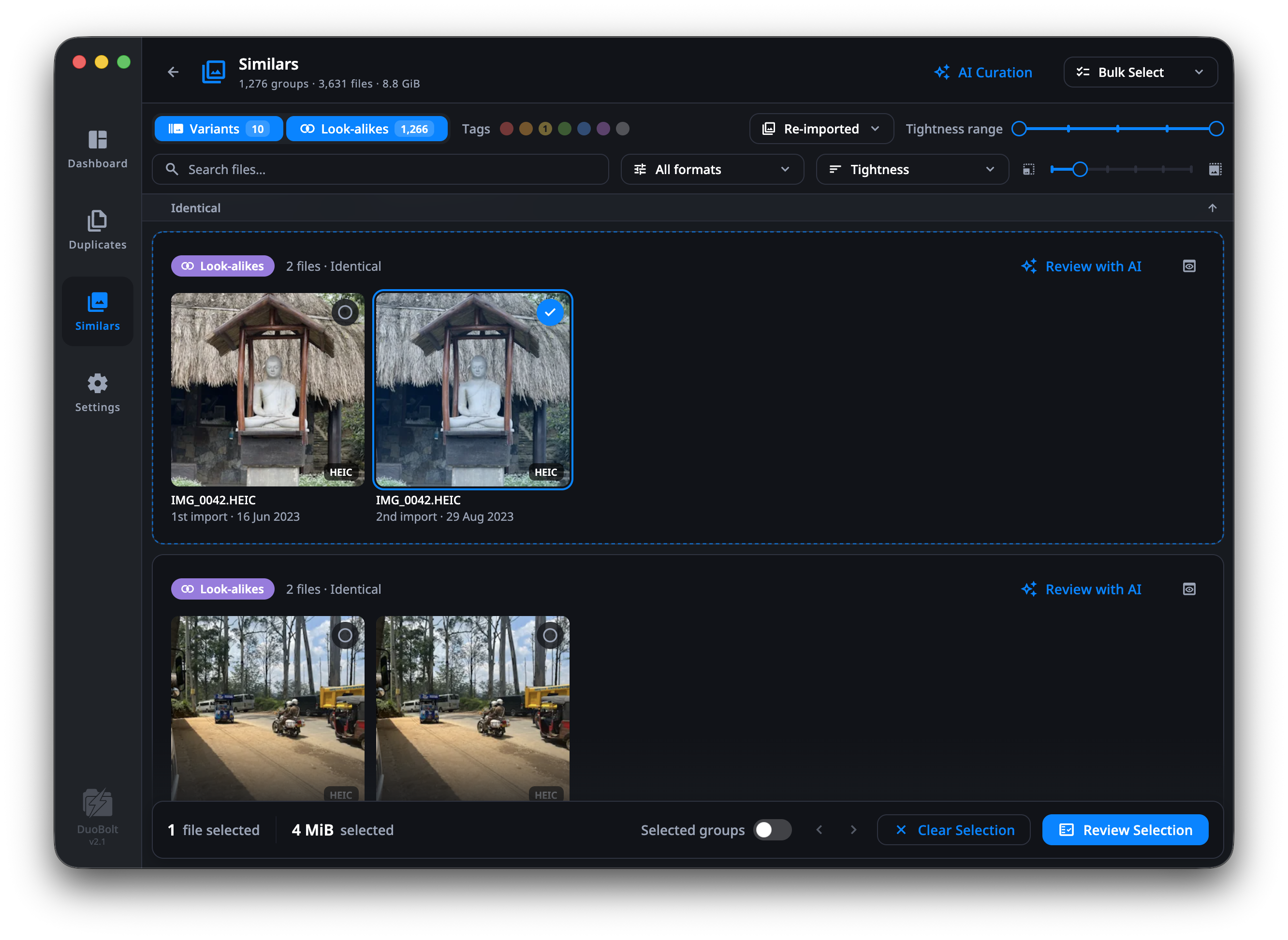
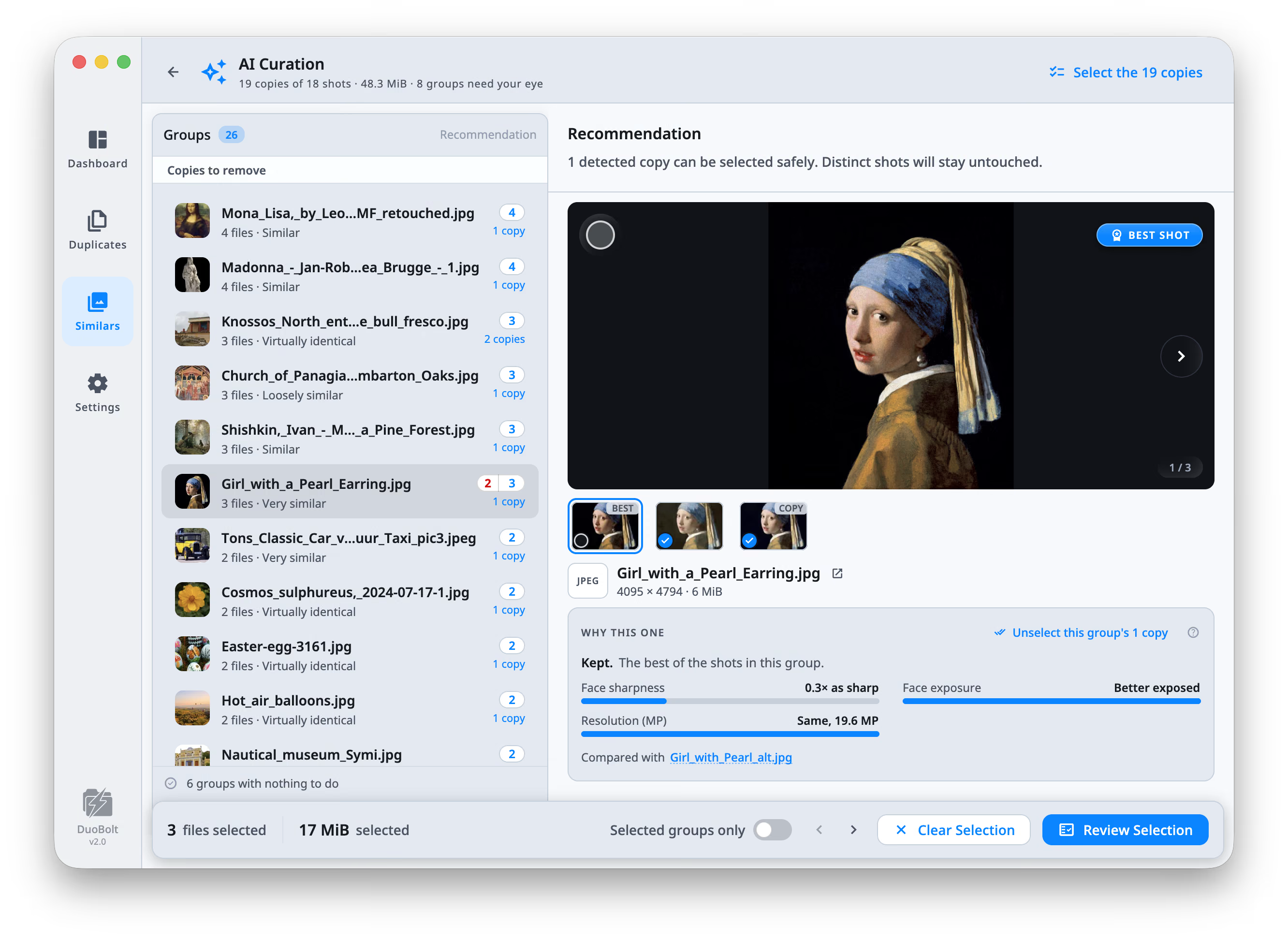
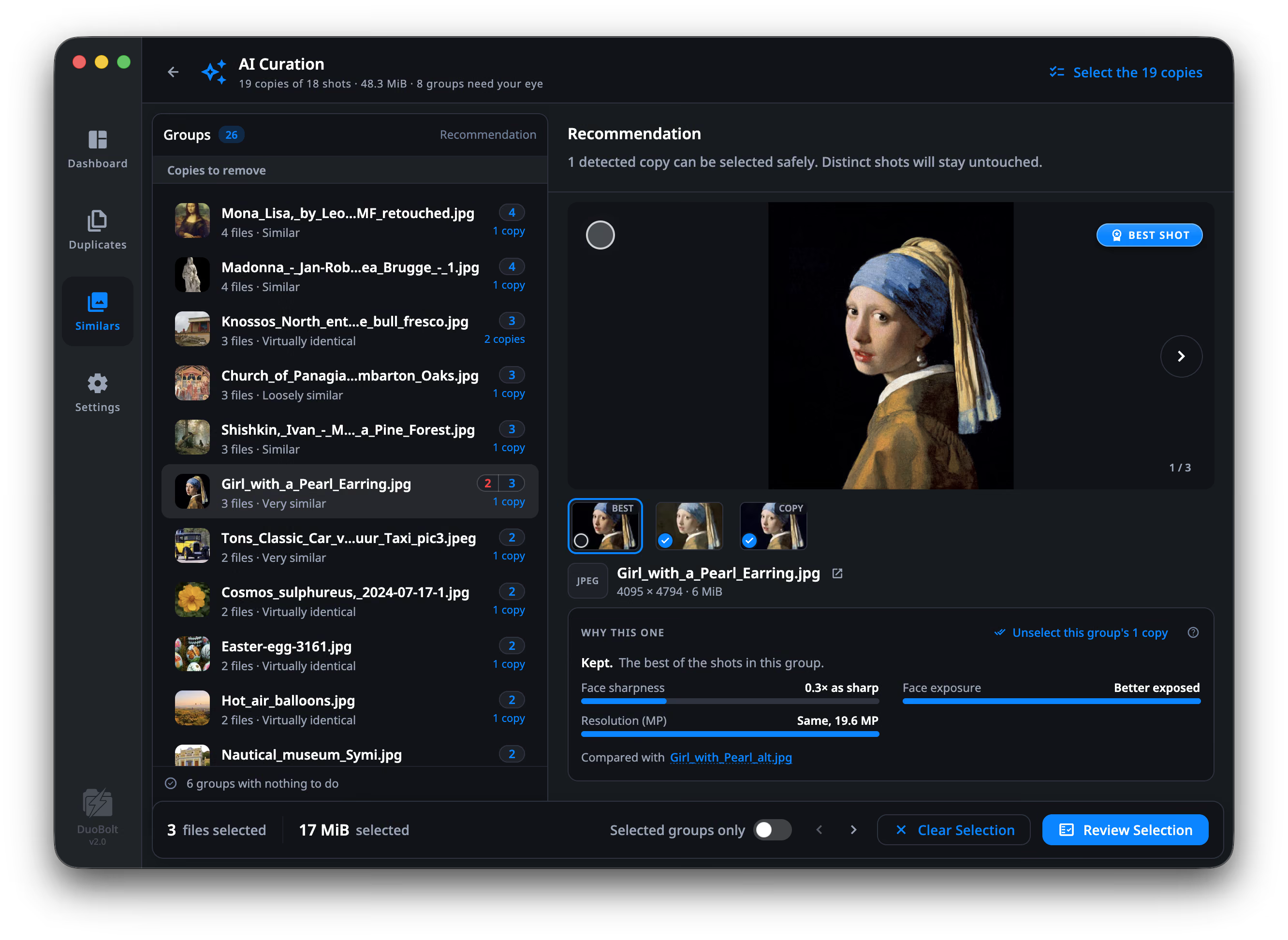
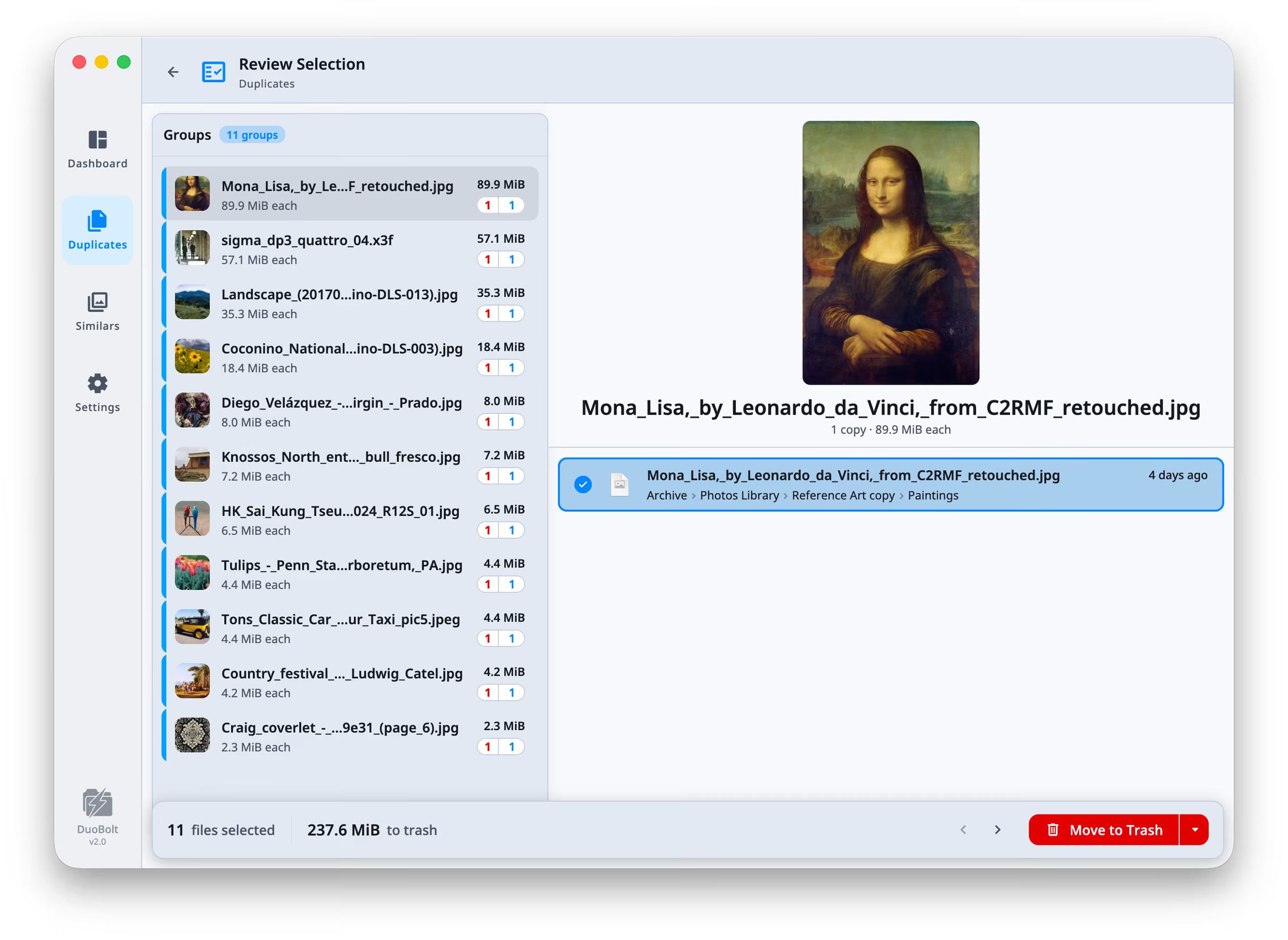
DuoBolt finds two things and keeps them separate, because they are not the same question. Exact duplicates are decided by content — files are partitioned by size, filtered by a head-and-tail prehash, and confirmed by a full BLAKE3 hash — so names, dates and folders play no part in it. Similar photos are a judgment, so DuoBolt shows its reasoning: images are grouped by perceptual hash, labeled as Variants or Look-alikes, and ranked by AI Curation, which names every measure it used — sharpness, exposure, resolution, and where faces are found, eyes open and smile. Sync Folders compares two folders by their contents and brings them in line, one way or both ways; it keeps a record of the last sync to tell which side changed, and a file changed on both sides waits for a decision rather than being overwritten by the newer date. On a Mac, the Photos library is a source in its own right: DuoBolt reads it without exporting, shows Photos' own names, tells the copies of a photo imported more than once apart by their import, and removes to Photos' Recently Deleted. It also detects APFS clones, so the space it reports is the space the disk frees, and can replace a duplicate with a clone of the copy kept. Every model ships inside the app and runs on the device: nothing is uploaded, no account is required, and it works with no network connection. Nothing is removed by scanning; marked files pass a review screen that warns where a file would be left with no surviving copy, and Operations History can restore what was removed. DuoBolt is free to use, with complete scans, comparisons and results — the paid tiers lift the limits on how much a single operation or sync moves and how many photo groups a scan shows.
Icons
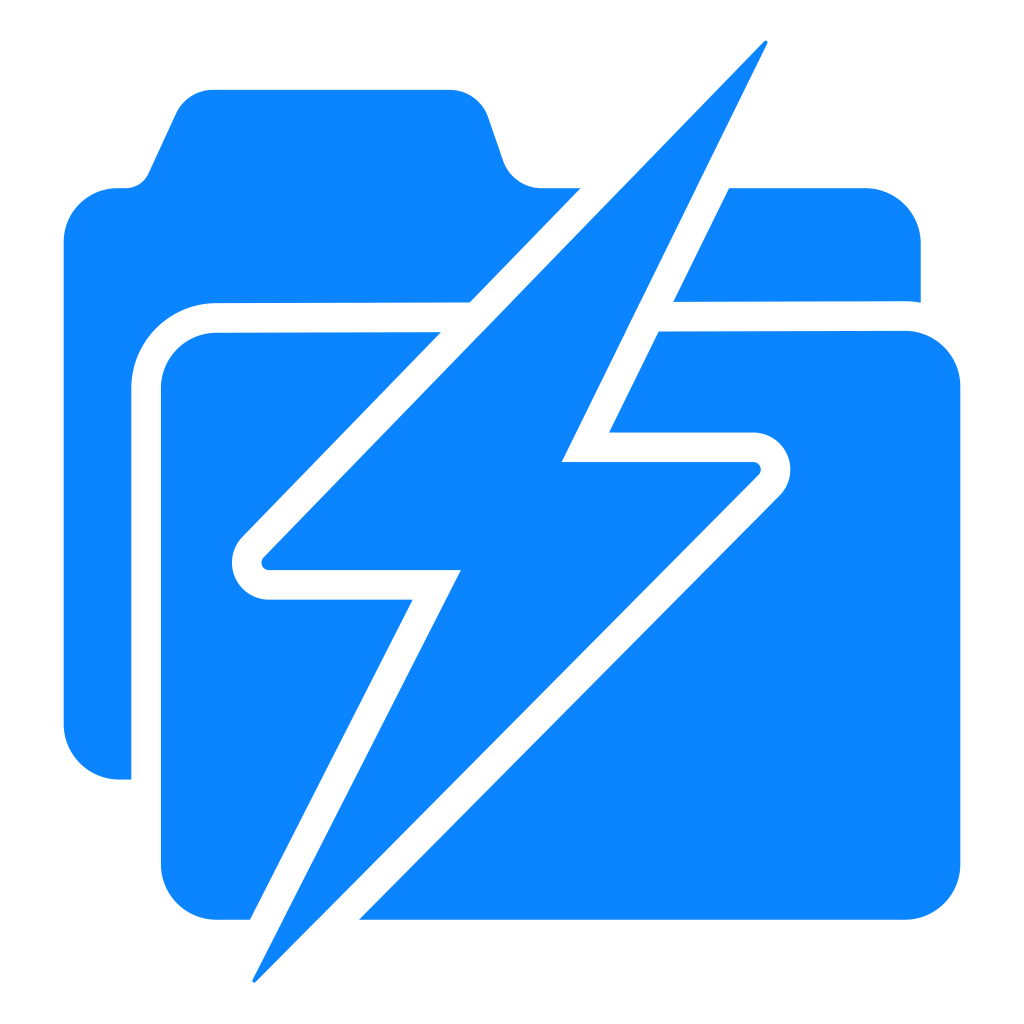
The app icon is the rounded square below. Please use one of these files rather than capturing the icon from the app's title bar or the Start menu — those are shell assets at small sizes, and they pick up a frame that is not part of the icon.
- App icon 1024 px PNG, transparent
- App icon 512 px PNG, transparent
- App icon 256 px PNG, transparent
- App icon, dark 1024 px PNG, for light backgrounds
- Bolt mark 1024 px PNG, no container
- Windows icon Multi-size .ico
- macOS icon Multi-size .icns
Screenshots
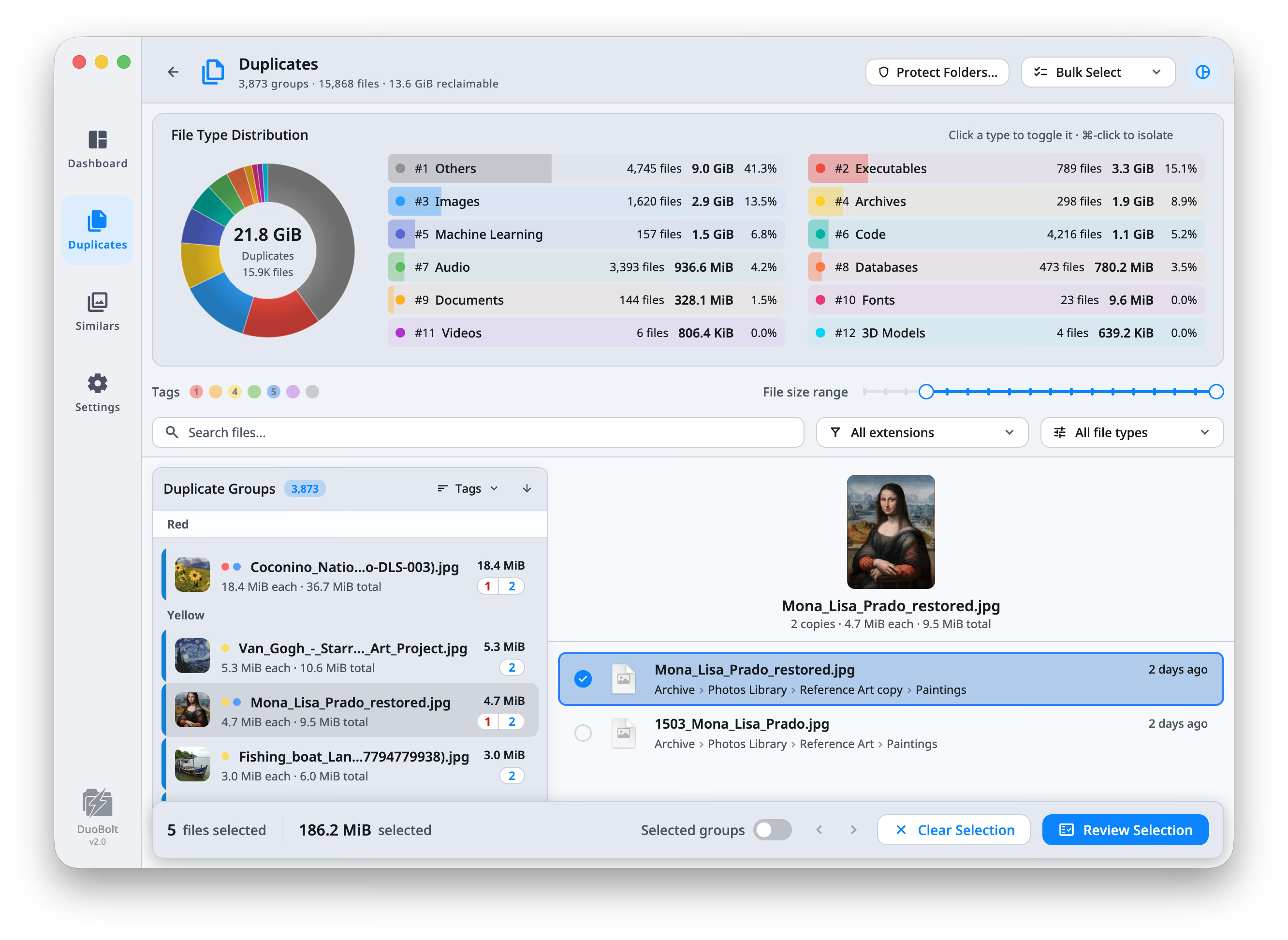
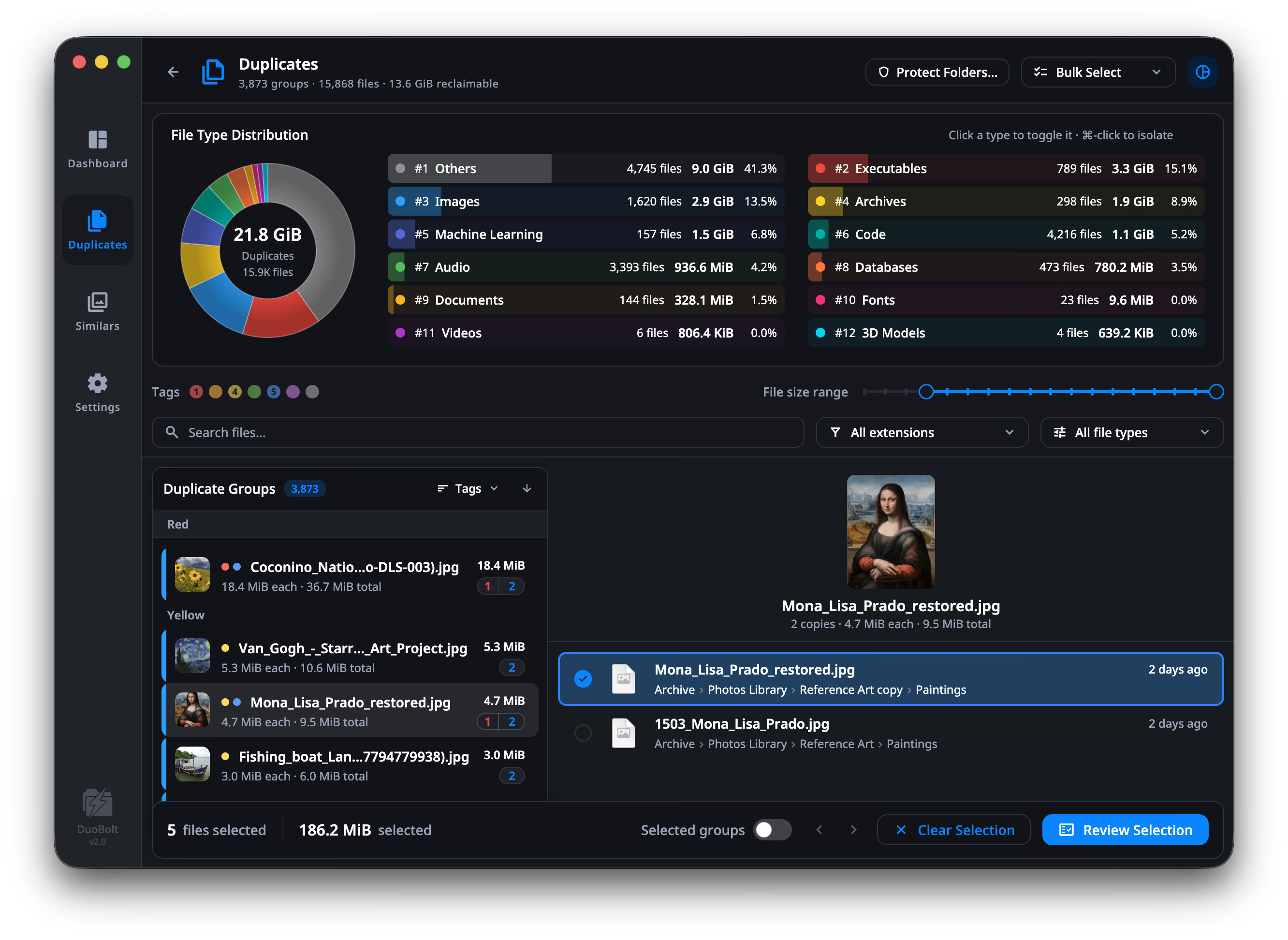
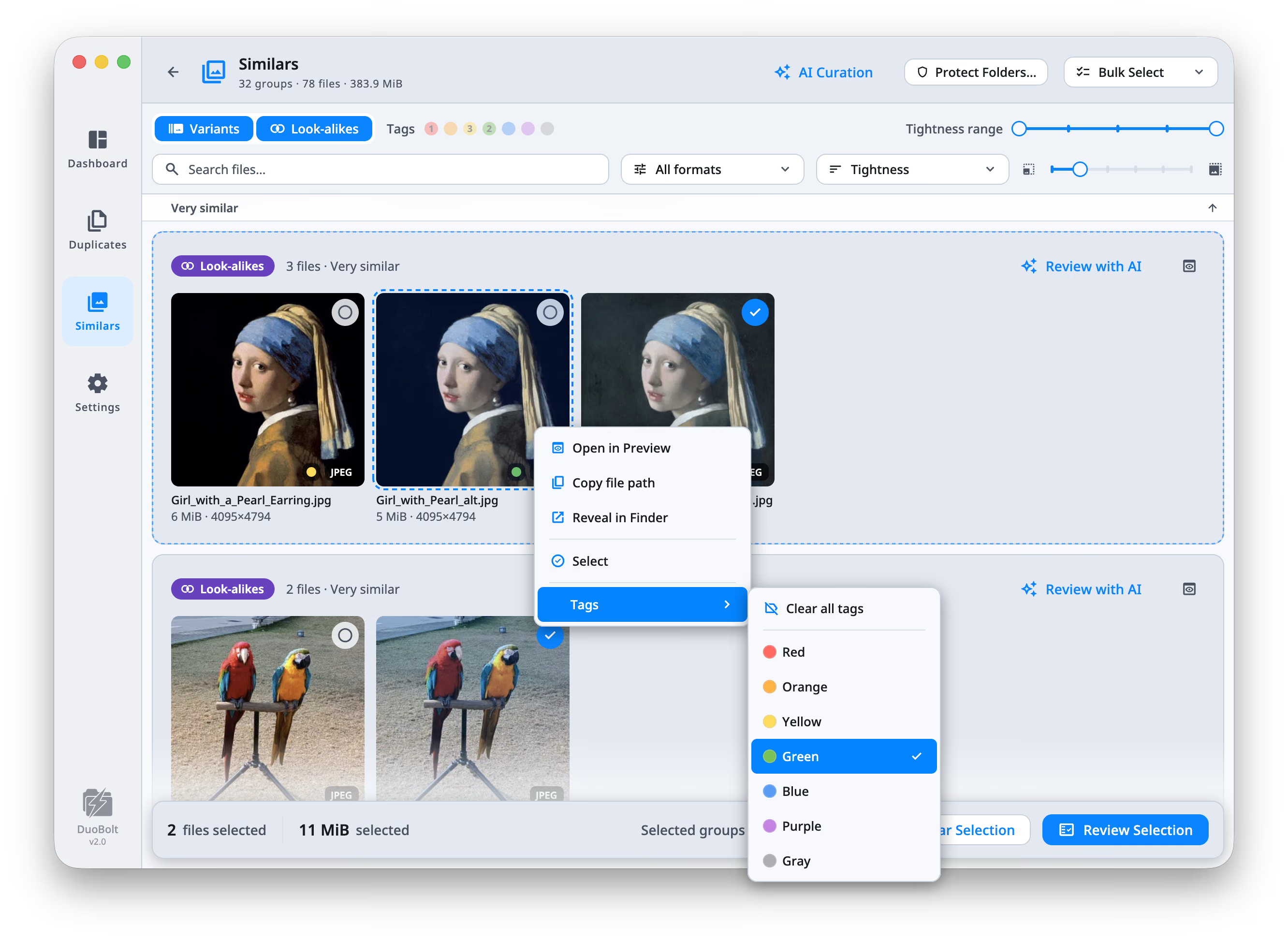
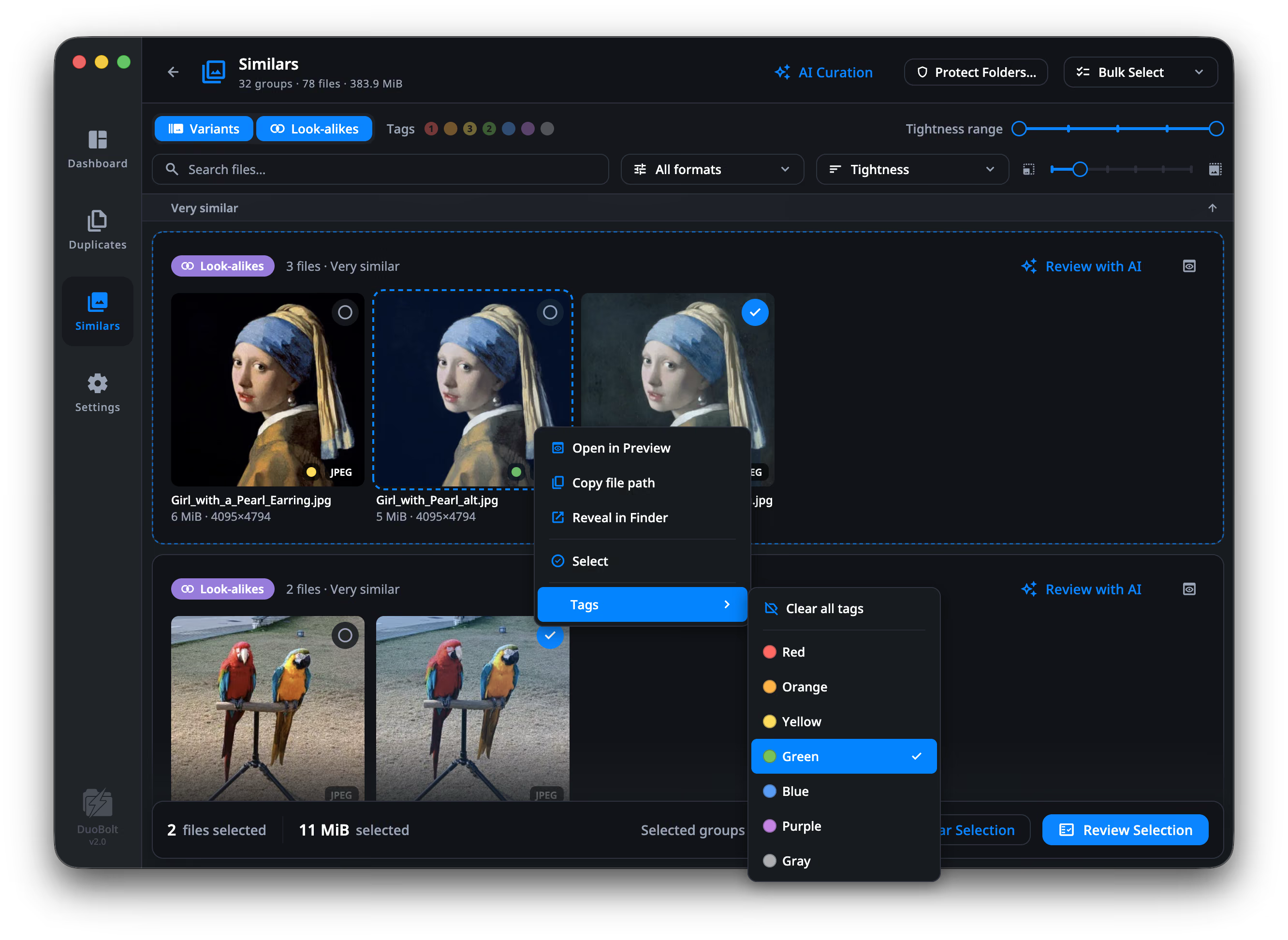
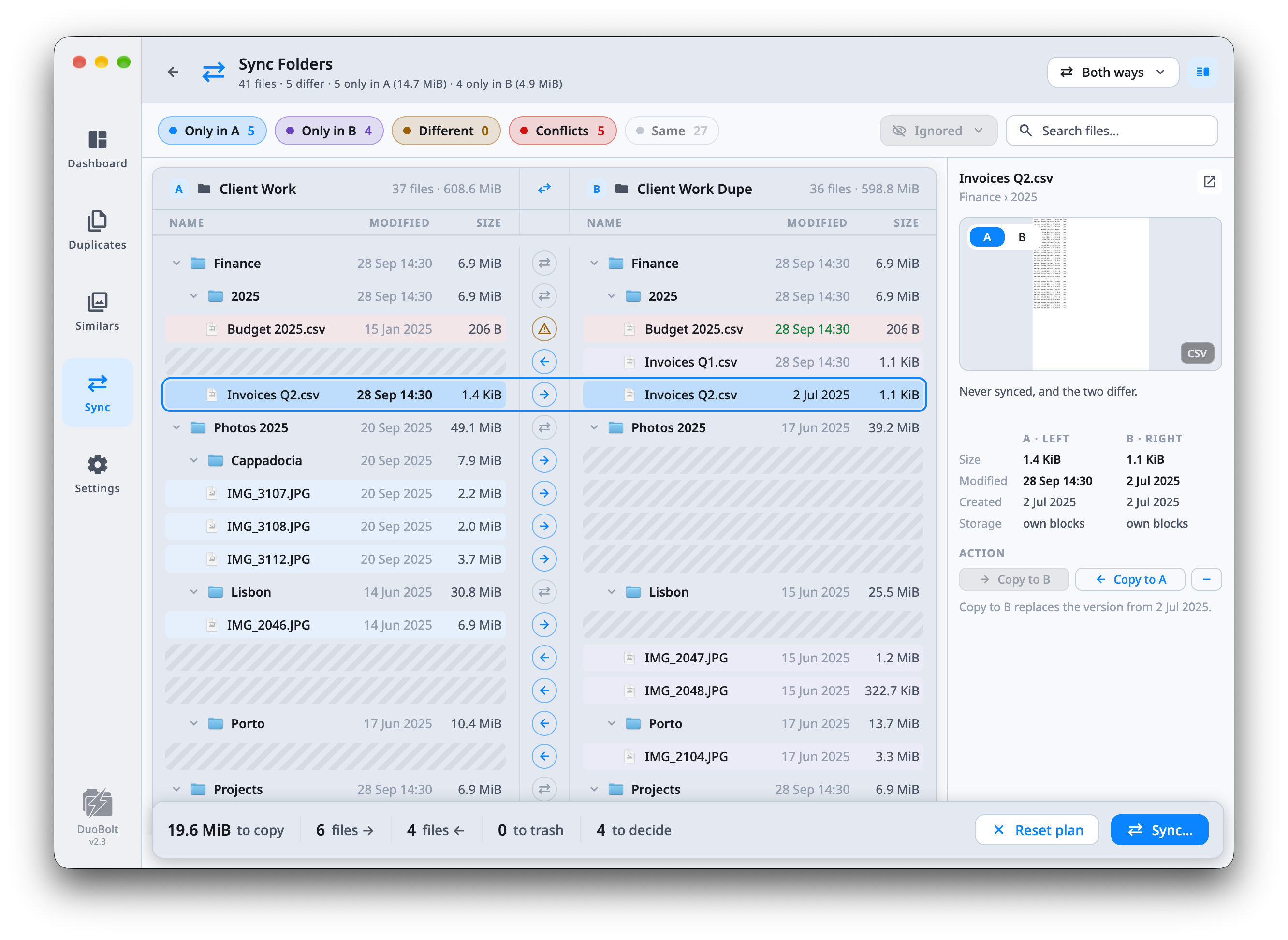
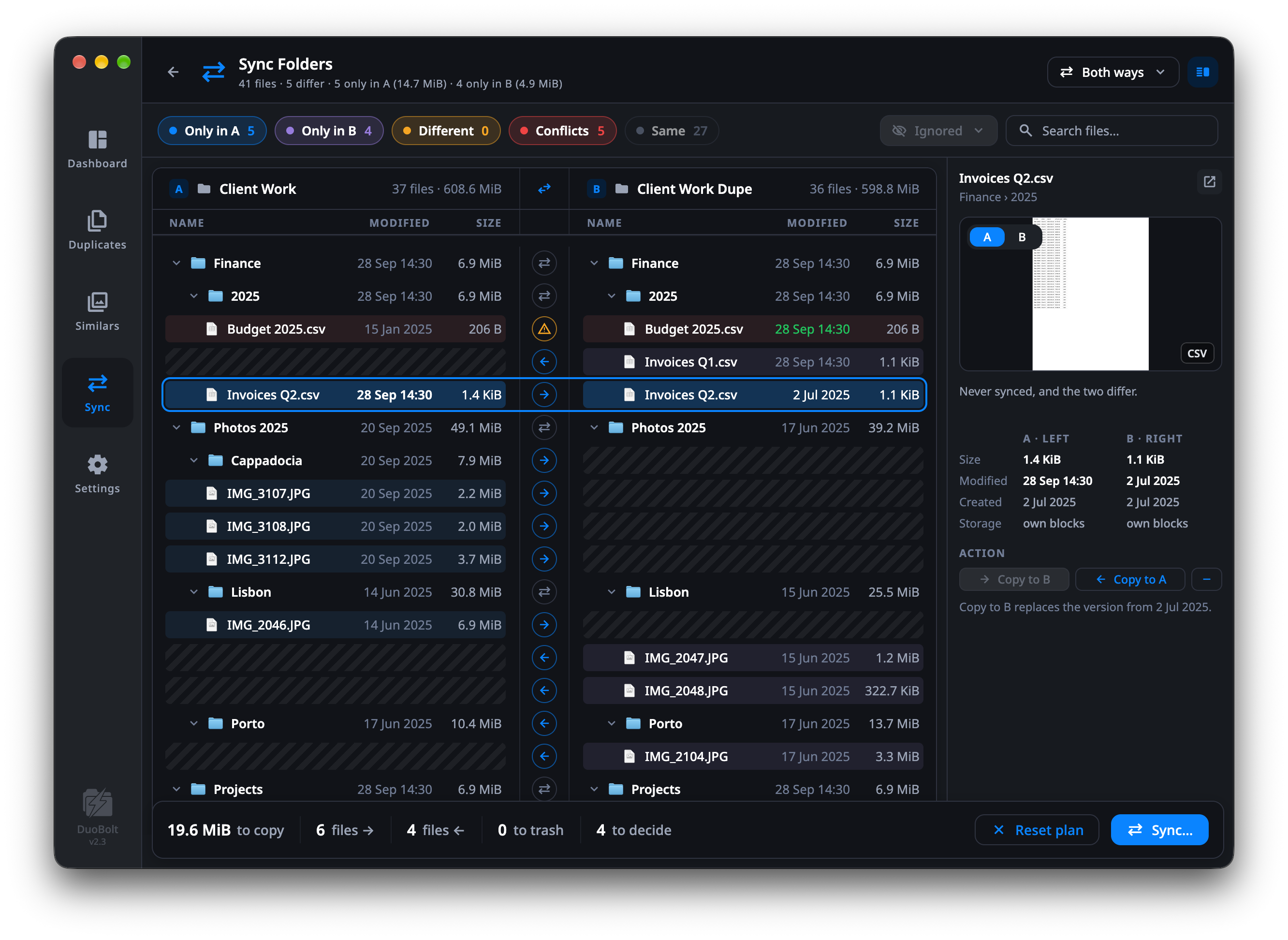
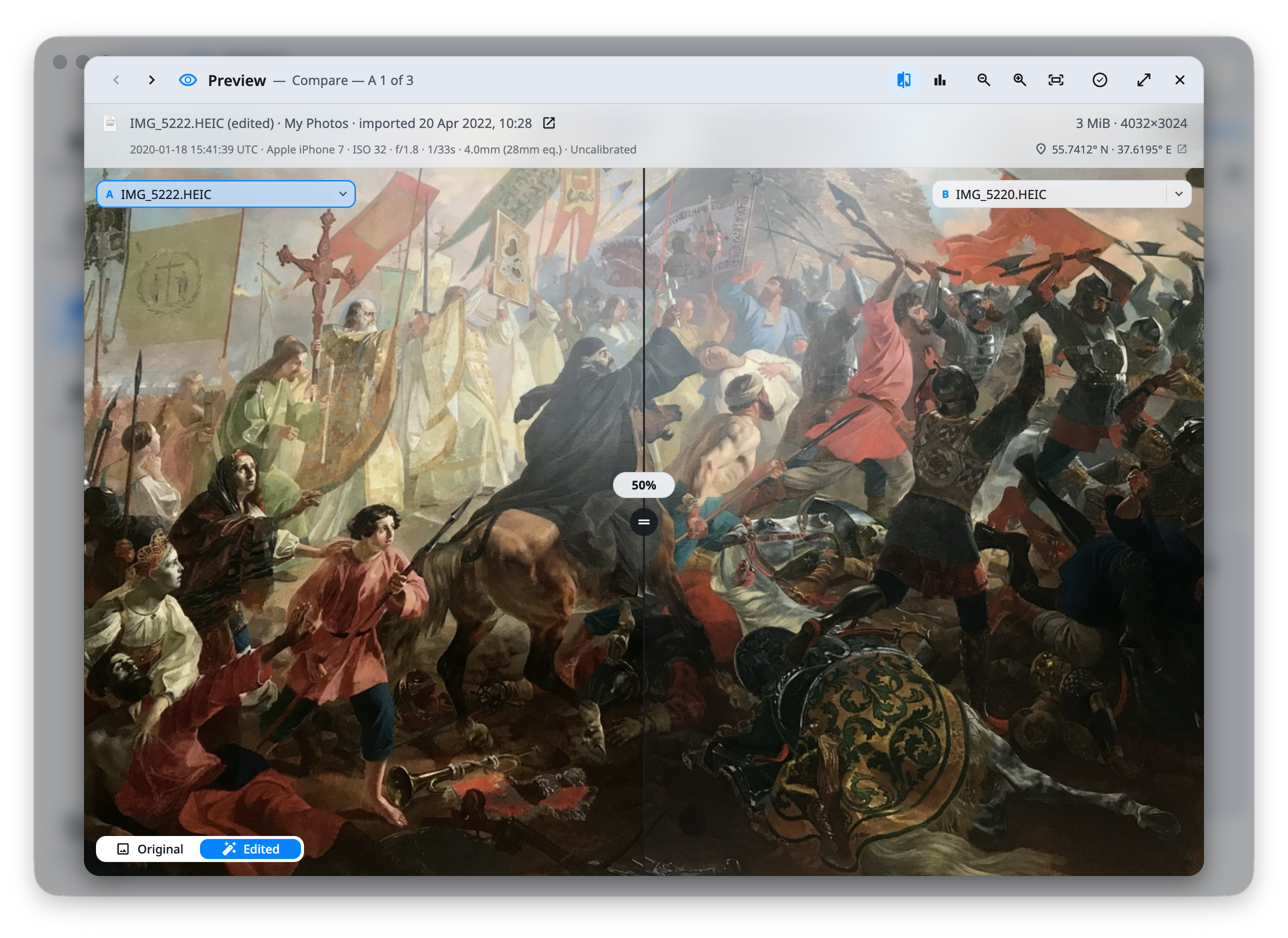
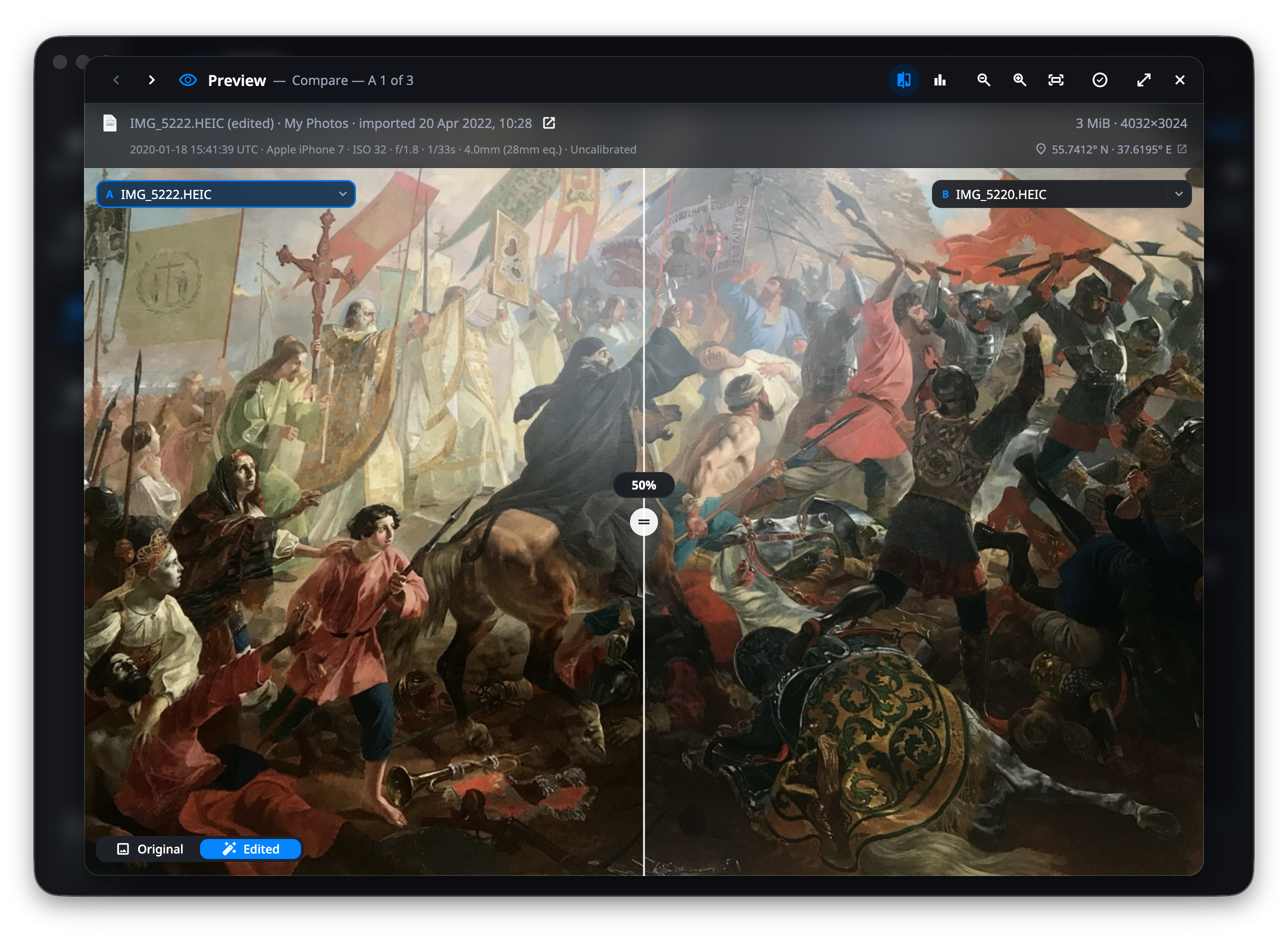
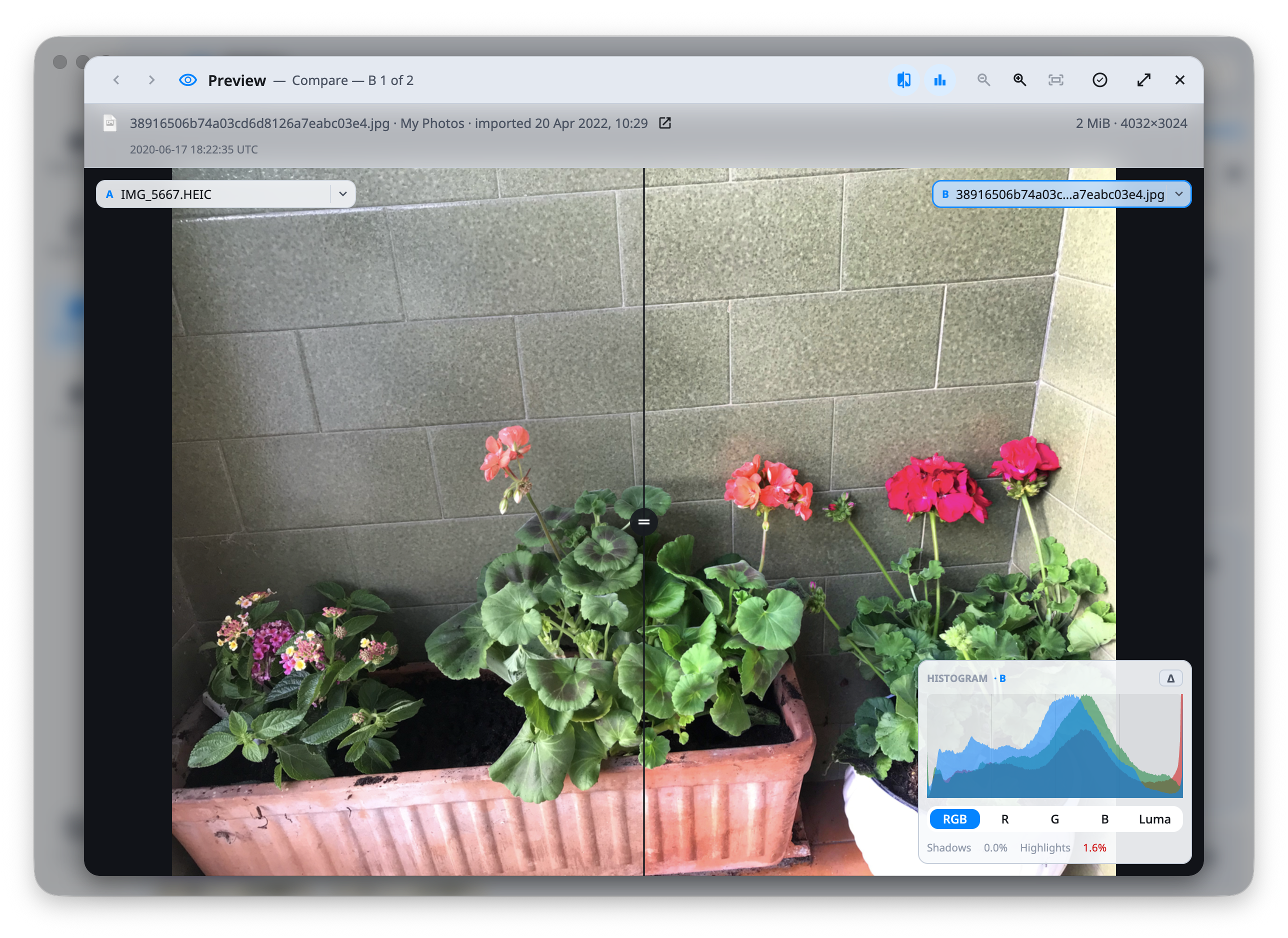
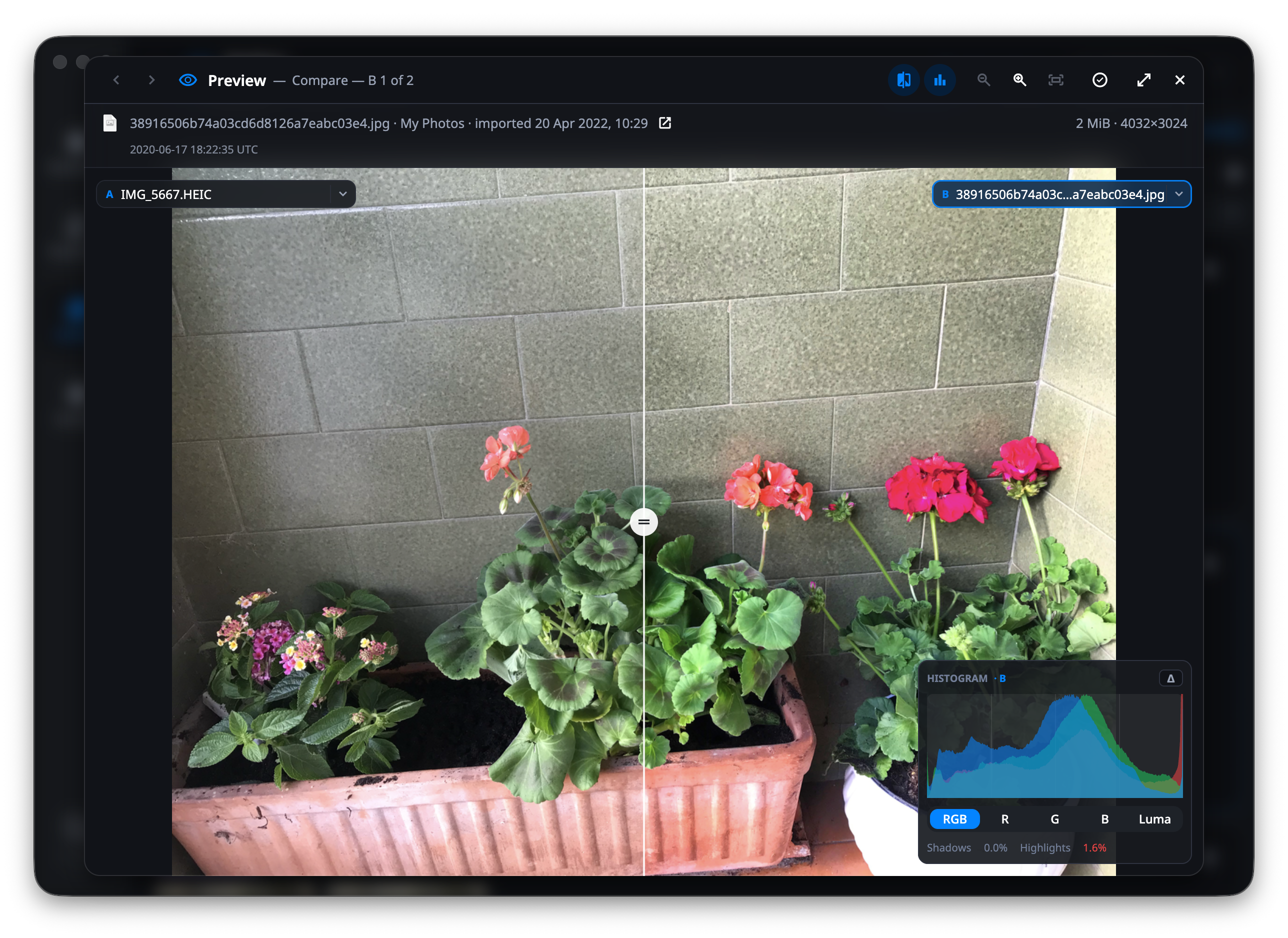
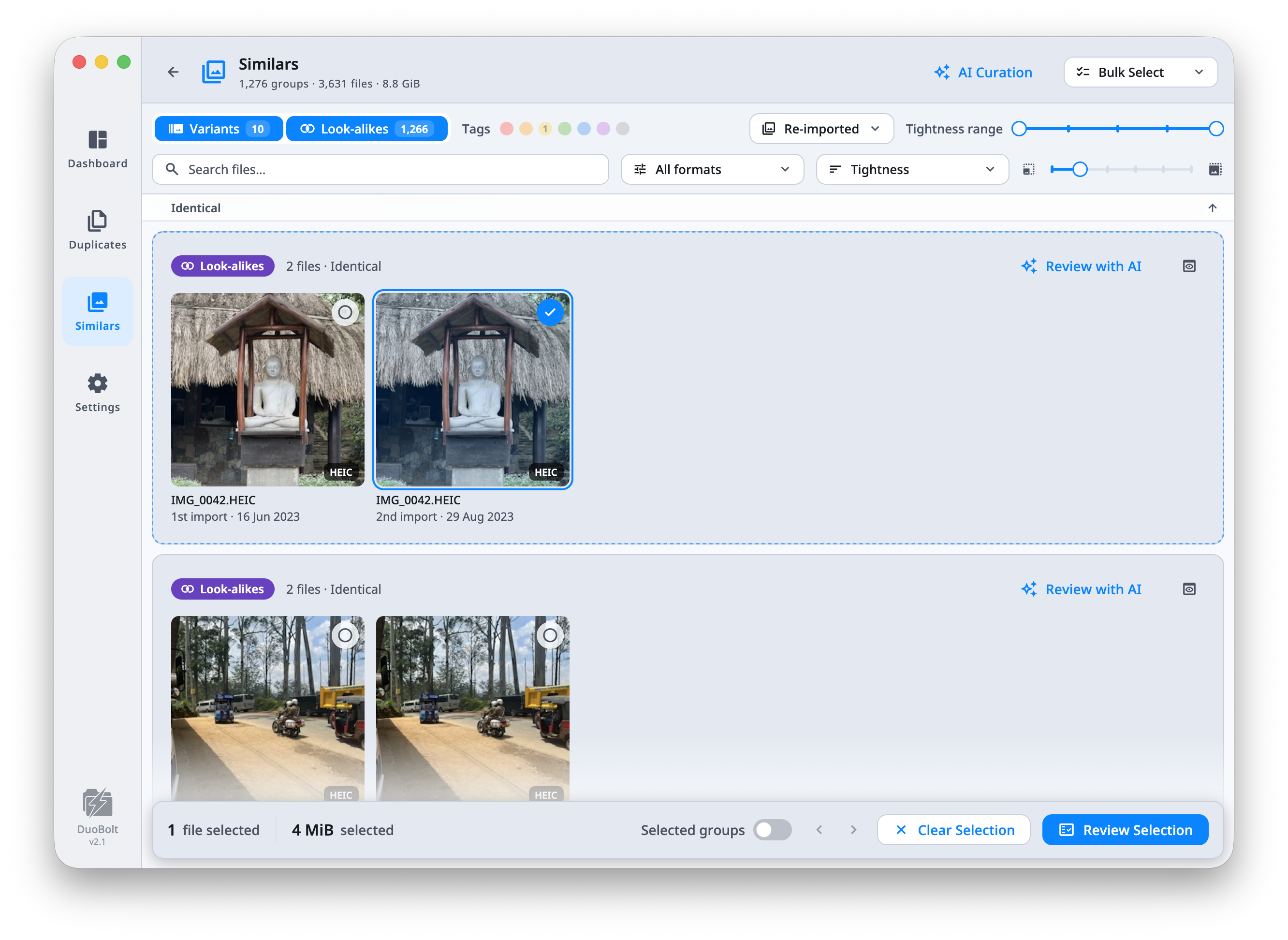
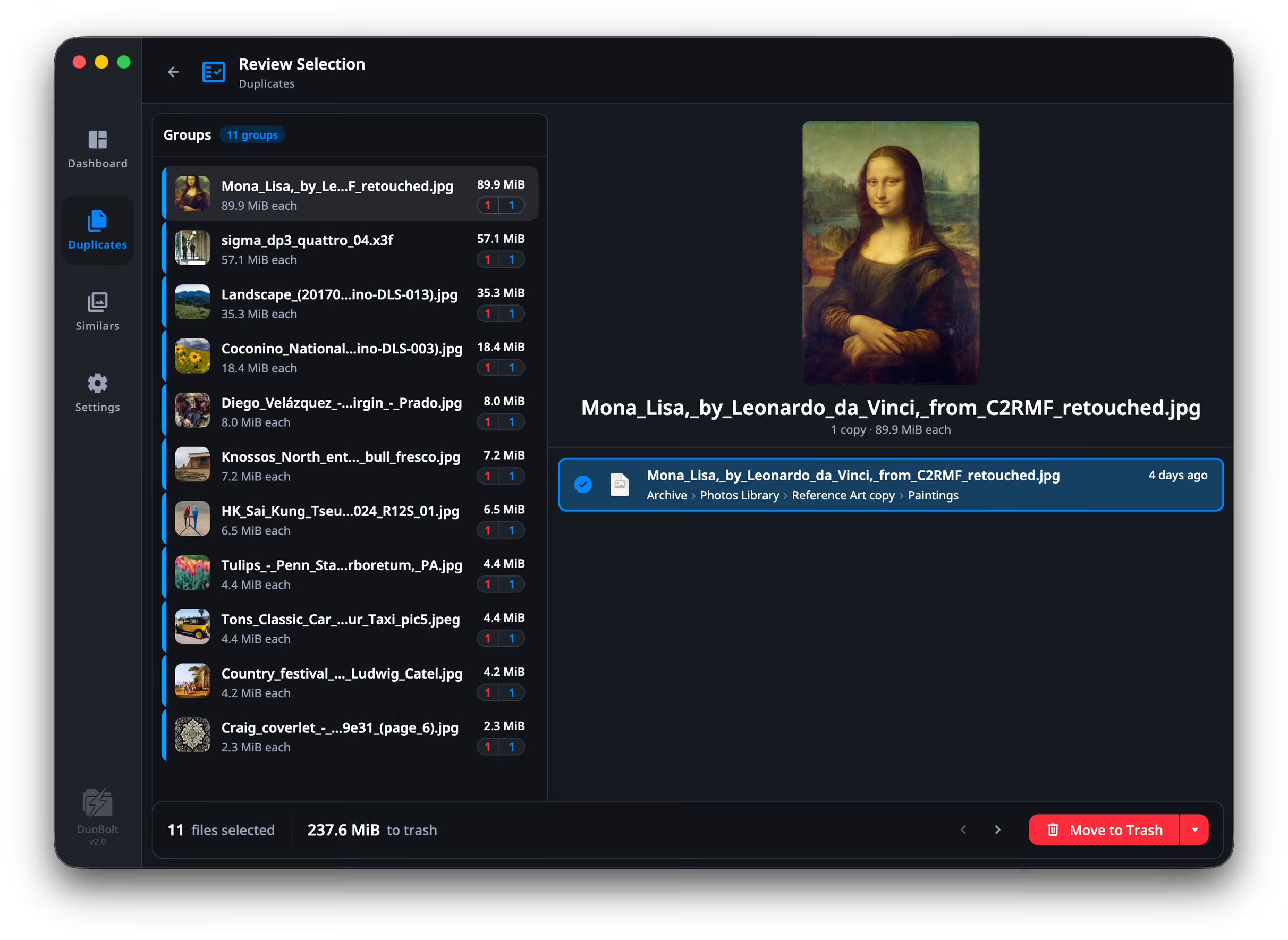
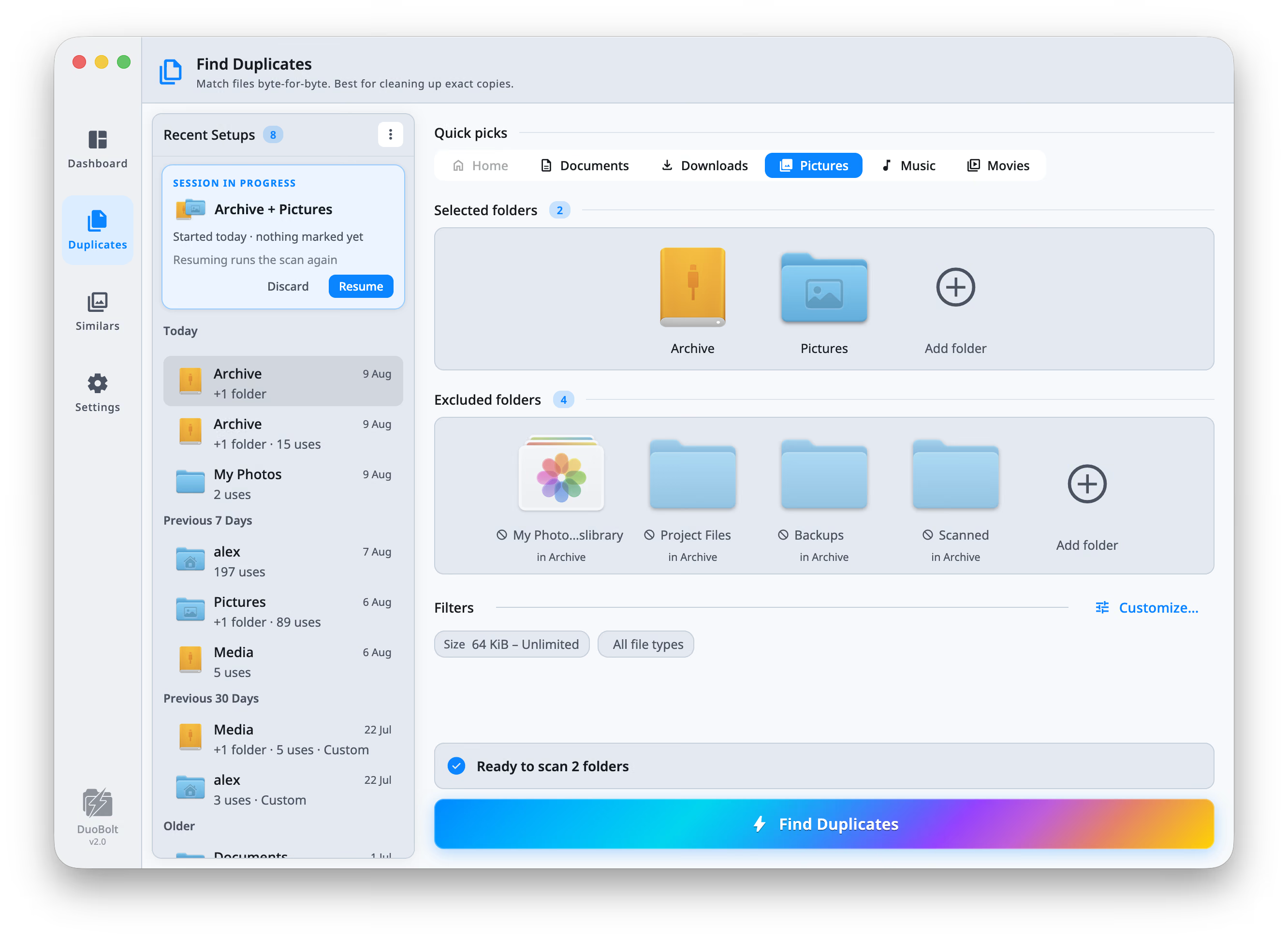
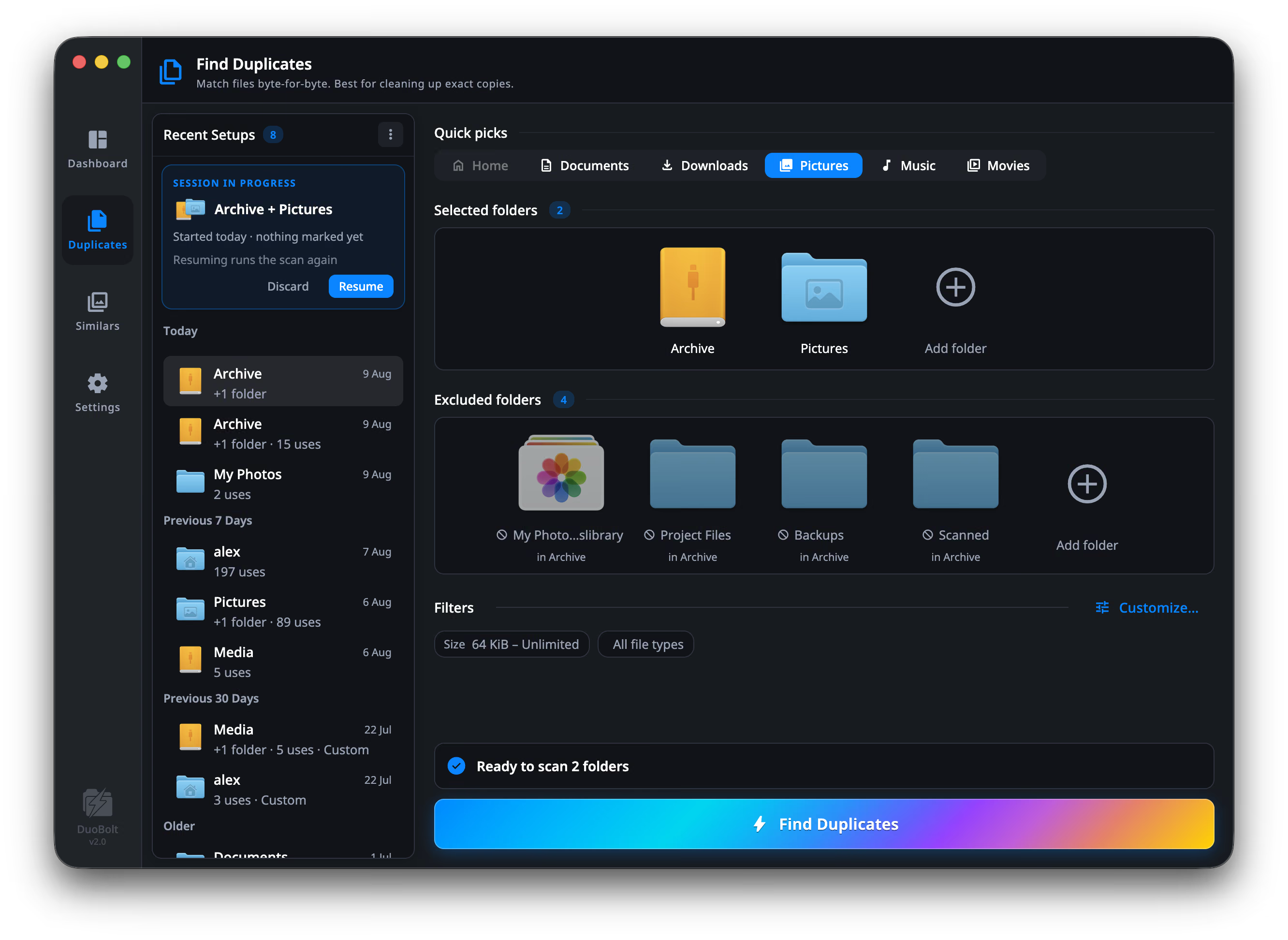
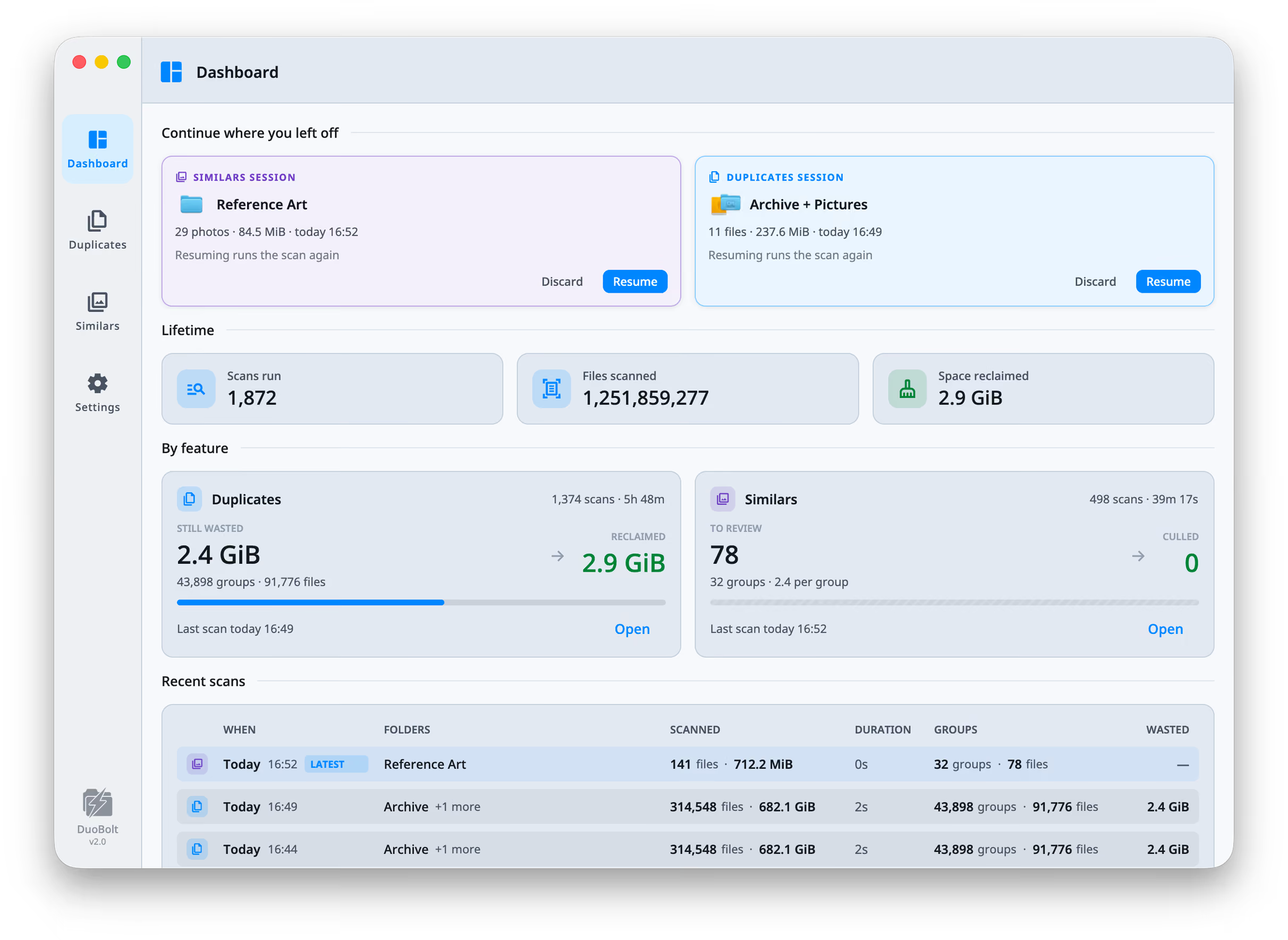
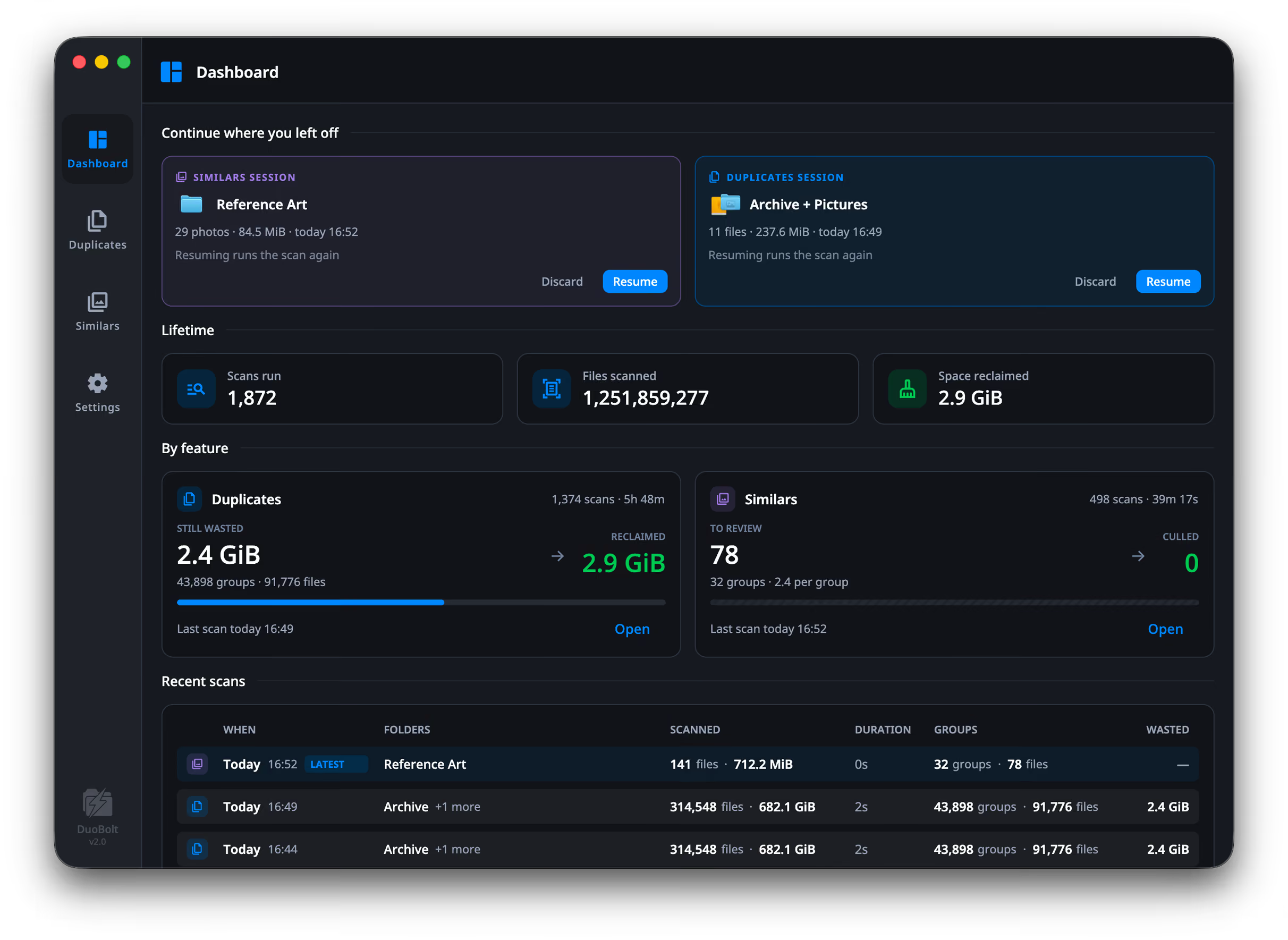
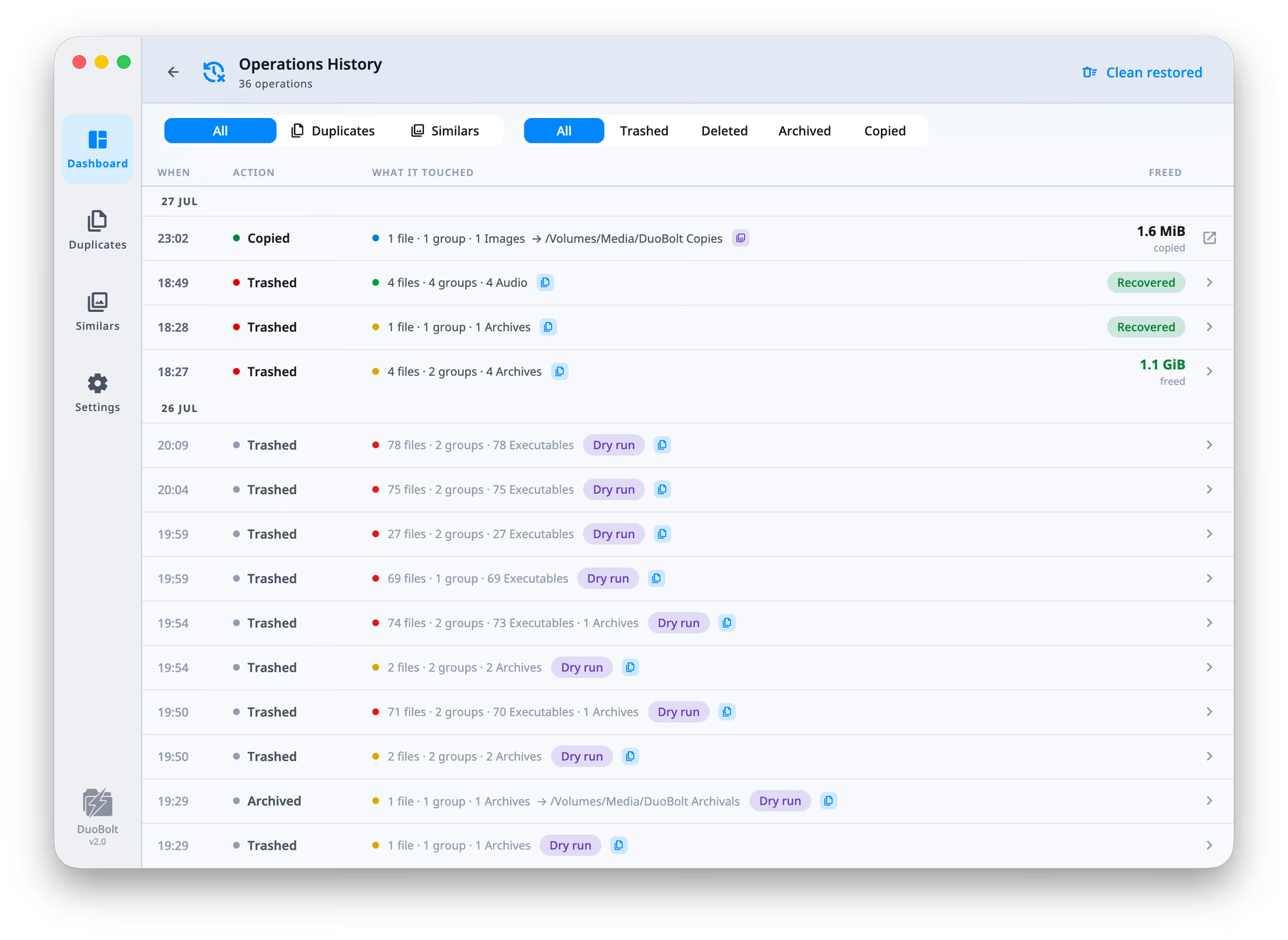
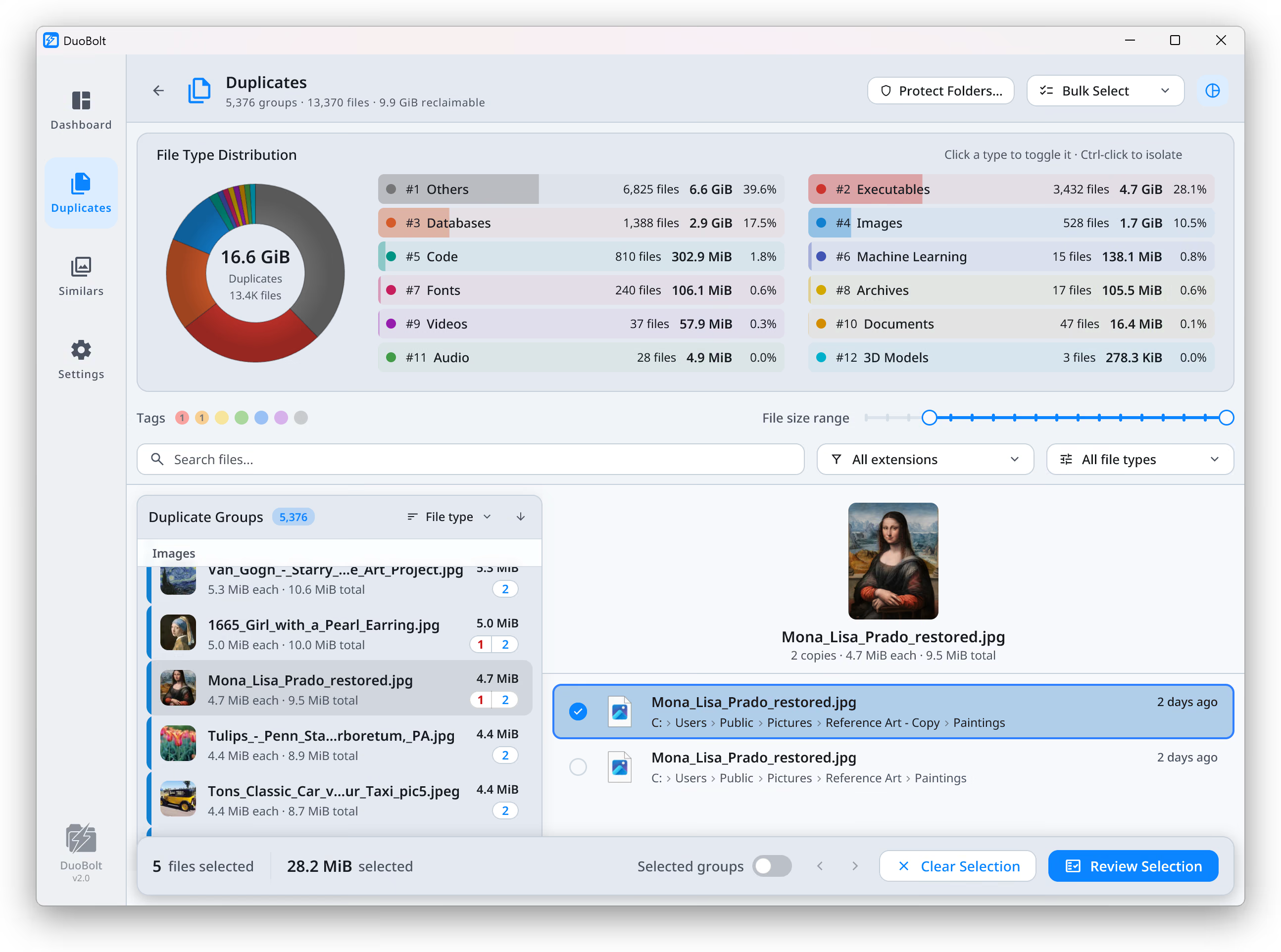
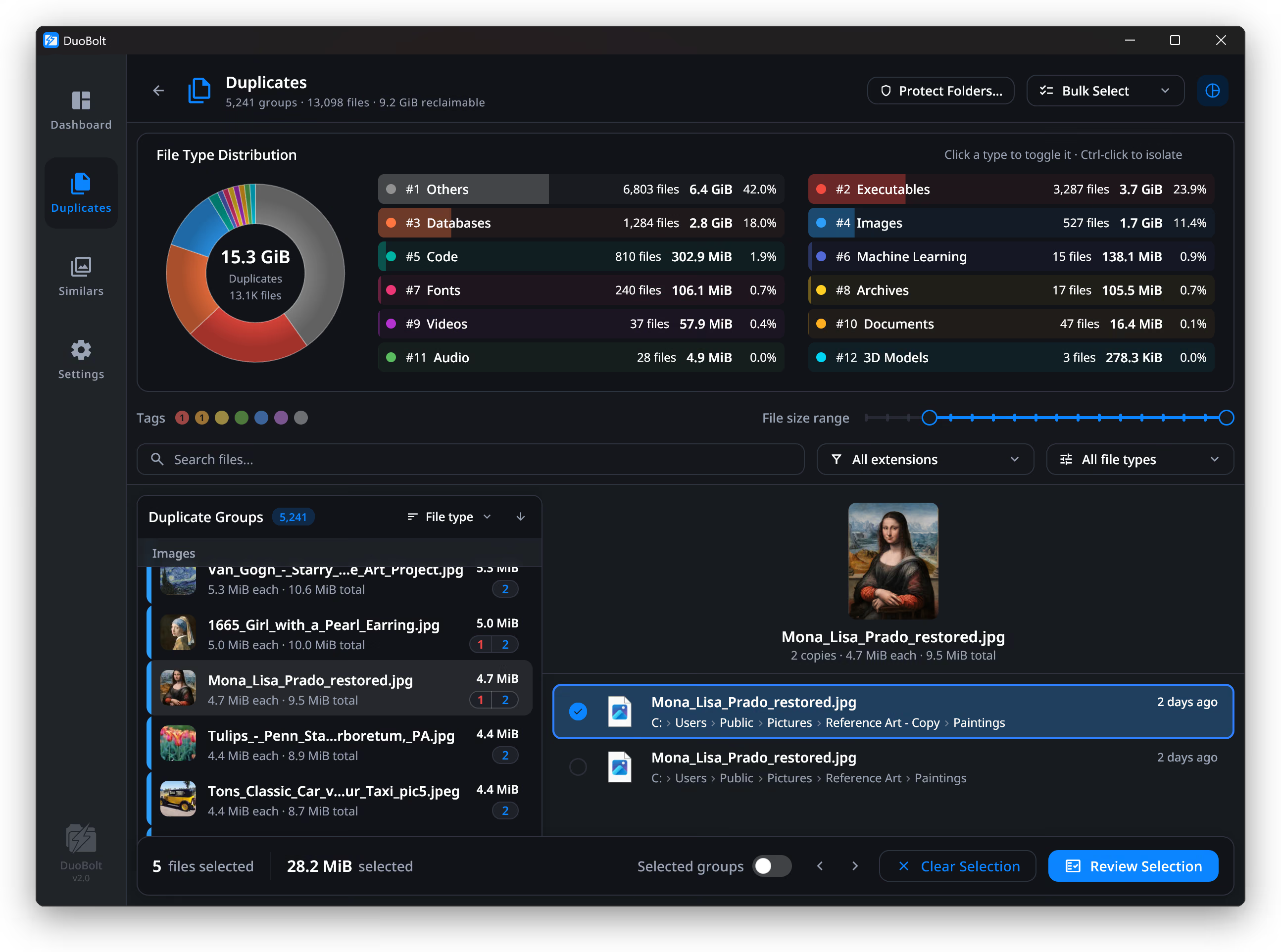
Full-resolution PNG, captured from the shipping 2.4.2 build — eleven screens, each in the light and dark appearance. Click any of them for the original file.

Using this material
The icons, screenshots and descriptions on this page may be used freely in reviews, articles and directory listings, including commercial ones. No permission or notification is needed, and nothing here has to be attributed beyond naming the app.
One request: please link to the official download page or the Microsoft Store listing rather than rehosting the installer. The macOS build is signed and notarized and updates itself through Sparkle; a mirrored copy goes stale and cannot be verified by the people who download it.
The name DuoBolt and the bolt mark are trademarks of Qoncept Apps. Using them to identify the app is exactly what they are for; using them as your own branding, or in a way that suggests we endorse another product, is not.
Anything missing?
If you need a screenshot of something specific, a different icon size, or a review license, write to info@qoncept.io and you will get it the same day.