Clonemap press kit
Icons, screenshots and descriptions for anyone writing about Clonemap or keeping a listing up to date. Everything here is free to use, and no permission is needed. DuoBolt's own kit is at /press/.
Fast facts
- Name
- Clonemap
- Current version
- 1.4.4
- Released
- OCT 17 2026
- Developer
- Qoncept Apps — European Union, the makers of DuoBolt
- Platform
- macOS 11 or later (Universal, Apple silicon and Intel)
- Price
- Free
- Category
- Utilities — disk and storage
- Languages
- English, German, Spanish, French, Brazilian Portuguese, Russian, Japanese, Korean, Simplified Chinese
- Contact
- info@qoncept.io
The version above is generated from the newest entry in Clonemap's changelog, so it is never behind the release.
Boilerplate
Three lengths, ready to paste. The two claims that get lost in rewriting are that Clonemap opens no file, and that it changes nothing on the disk.
Clonemap shows how much of a Mac's APFS drive is stored once as clones, where those clones live, and what a local snapshot is holding back.
Clonemap is a free Mac app that reads what APFS records about every file on a drive and shows how much is stored once as clones, which files share their blocks, and what a local snapshot holds back. It opens no file and changes nothing.
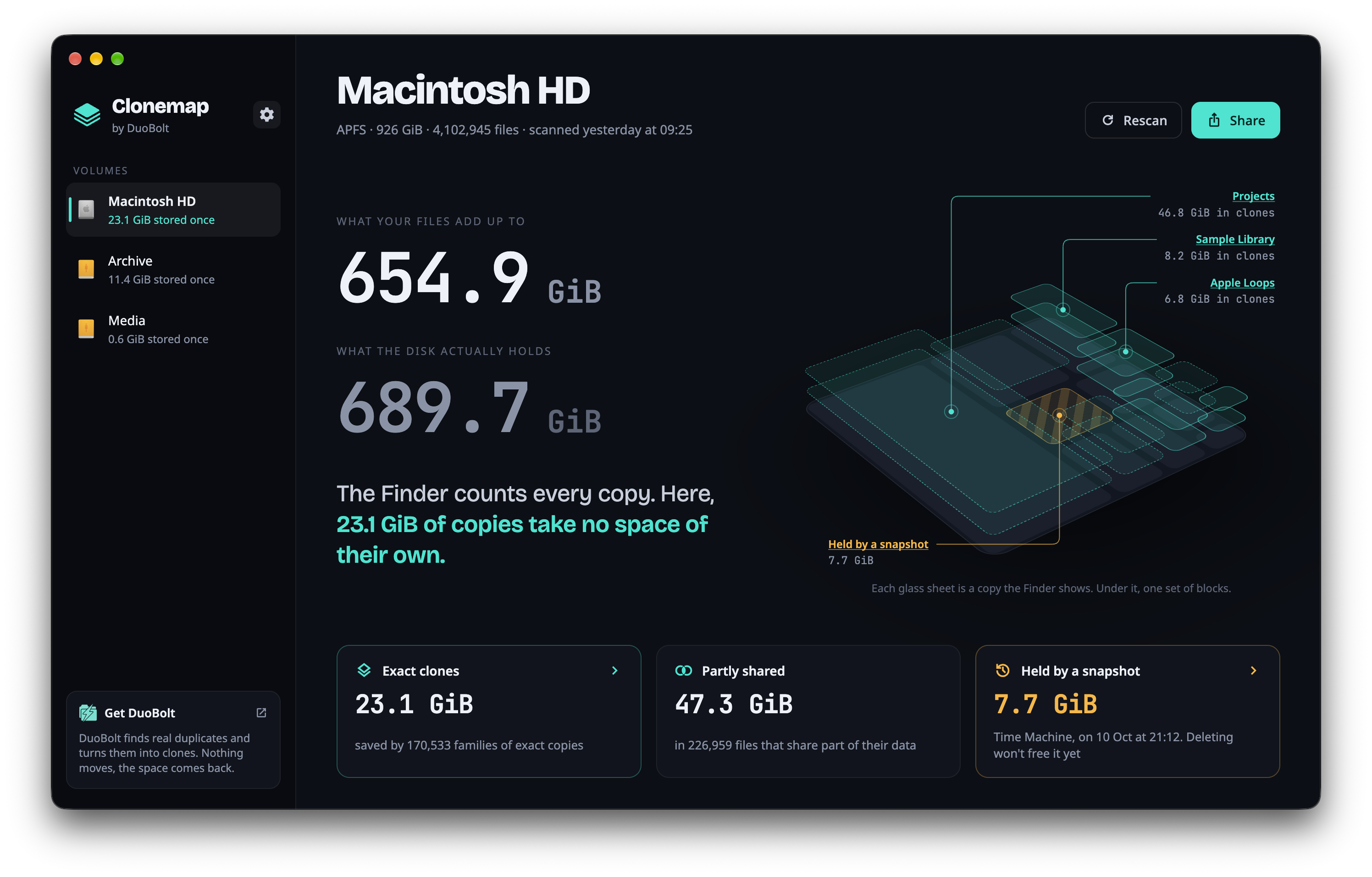
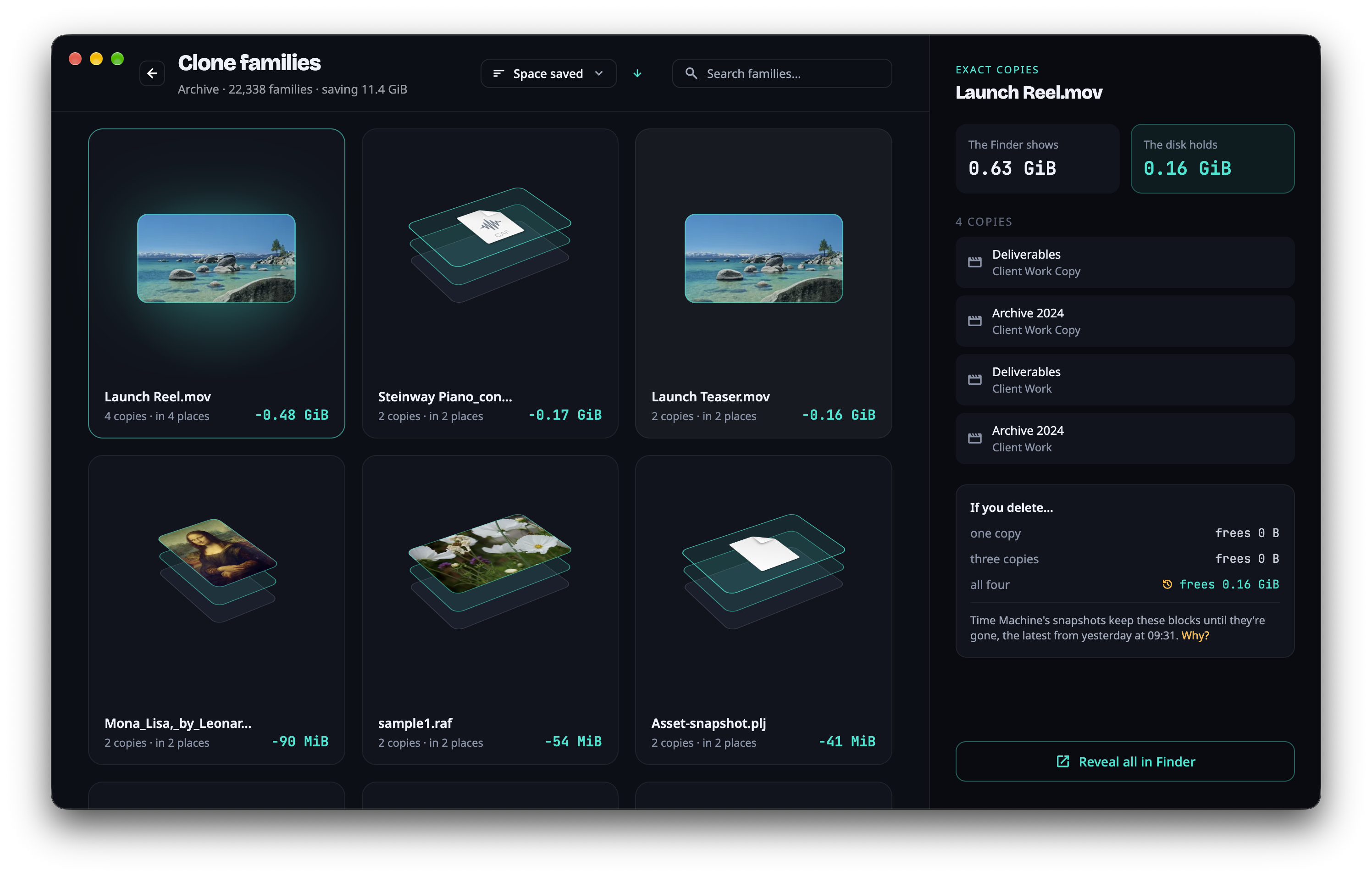
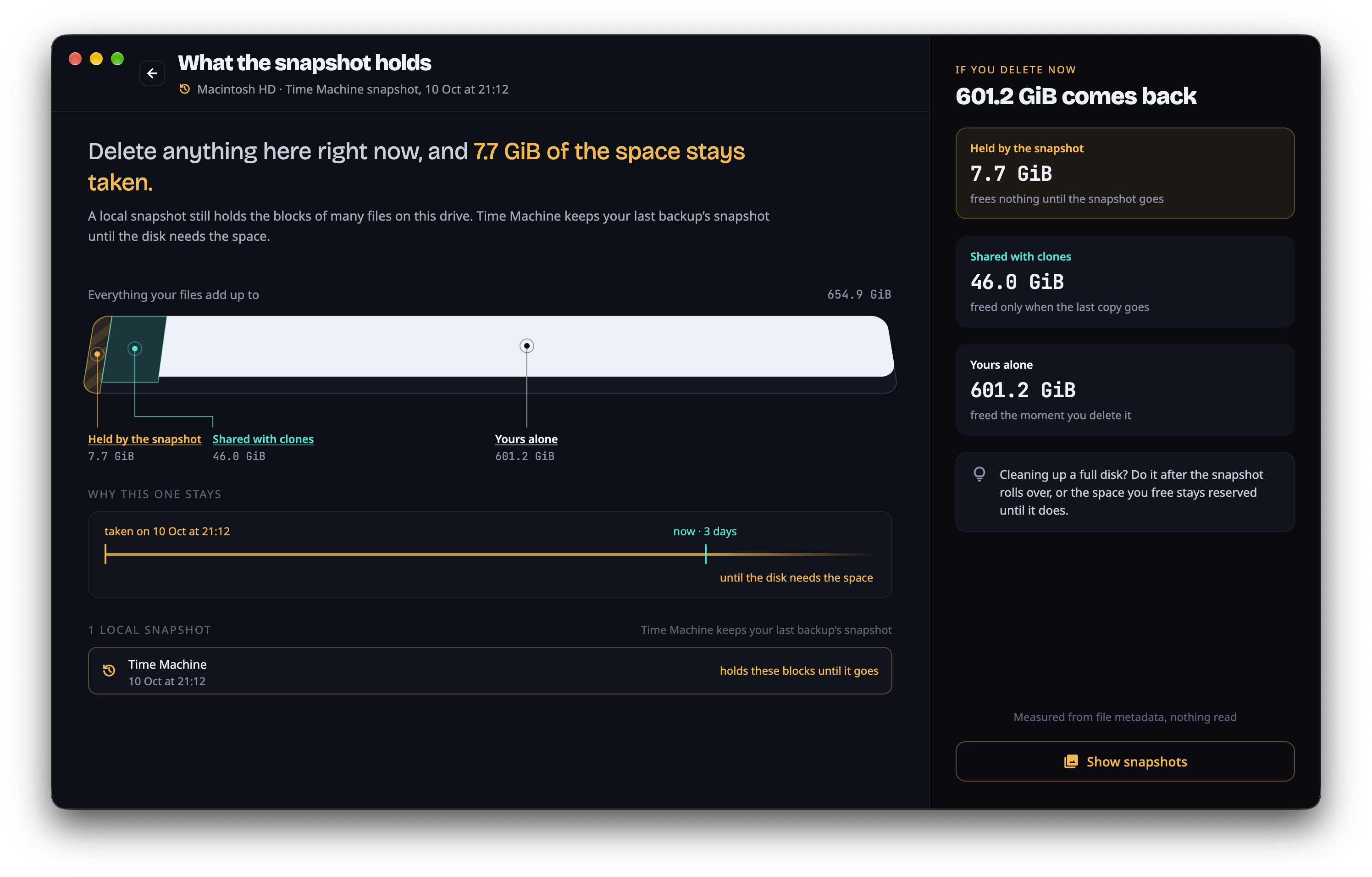
The Finder counts every copy, but on APFS a copy is often a clone that shares its blocks with the original and takes no space of its own. Clonemap reads what APFS records about every file on a drive, in one pass, and shows what that means for the disk. Clone families group the files that are clones of each other, largest saving first, with where each copy lives, what the disk really holds and what deleting them would free. The snapshot view explains why deleting can free so little: it names the local snapshot and splits the space into what the snapshot holds, what clones share and what belongs to one file alone. Clonemap opens no file, uploads nothing and keeps its results on the Mac. It changes and deletes nothing; to act on a family, Reveal in Finder takes you to its copies. It is free, Universal, and runs on macOS 11 or later. It comes from the makers of DuoBolt, which finds duplicate files and can turn them into clones.
Icons
The app icon is the rounded square below. Please use one of these files rather than capturing the icon from the Dock or the title bar.
- App icon 1024 px PNG, transparent
- App icon 512 px PNG, transparent
- App icon 256 px PNG, transparent
- Mark 1024 px PNG, no container
- macOS icon Multi-size .icns

Screenshots
PNG, 2992 × 1912, the app's own window with its shadow, from real drives. Clonemap has one appearance, dark. Click any of them for the file.
Using this material
The icons, screenshots and descriptions on this page may be used freely in reviews, articles and directory listings, including commercial ones. No permission or notification is needed, and nothing here has to be attributed beyond naming the app.
One request: please link to Clonemap's page rather than rehosting the app. It is signed and notarized and updates itself through Sparkle; a mirrored copy goes stale and cannot be verified by the people who download it.
The name Clonemap and its mark are trademarks of Qoncept Apps. Using them to identify the app is exactly what they are for; using them as your own branding, or in a way that suggests we endorse another product, is not.
Anything missing?
If you need a screenshot of something specific or a different icon size, write to info@qoncept.io and you will get it the same day.