A duplicate finder that knows what a Mac actually does
Duplicates are found by reading every byte, never by name or size. But on macOS that is only half the job: a cloned file frees nothing when you delete it, a photo library is not a folder to walk but a library to read, and an iPhone library is full of formats most tools cannot open. DuoBolt is built for all three.
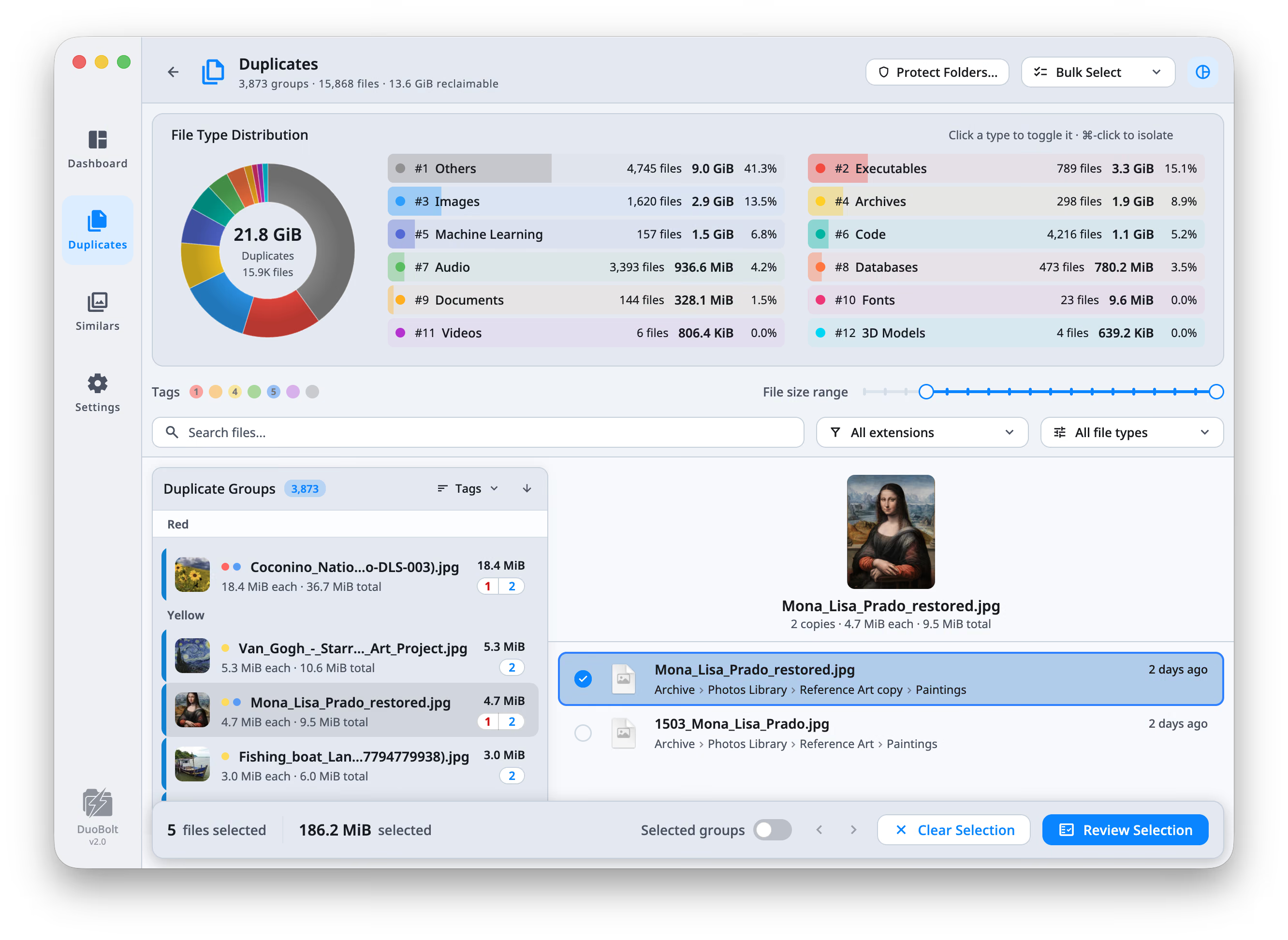
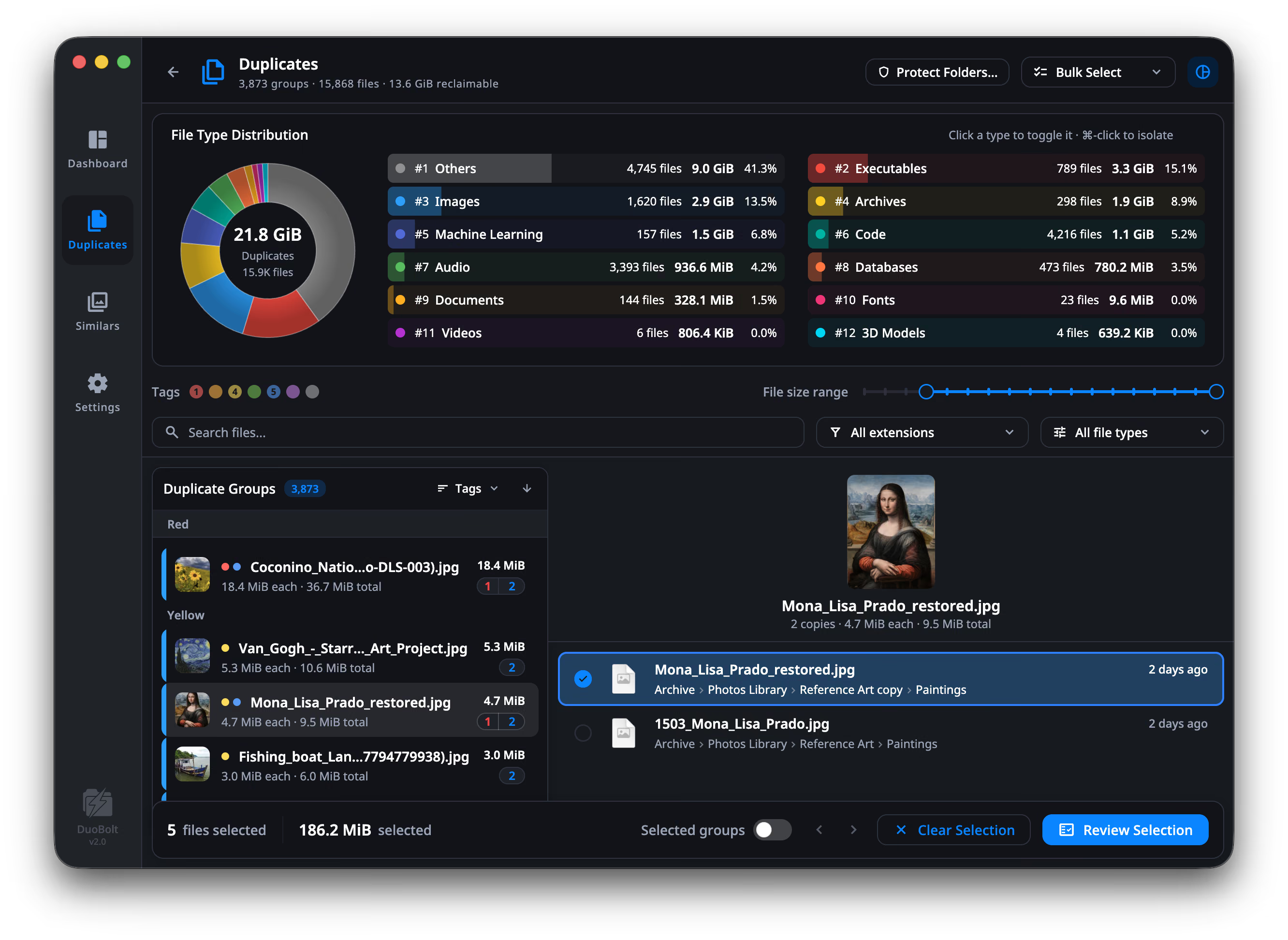
The number a size-based scan gets wrong on a Mac
APFS lets a file be copied without copying its bytes — the two share the same storage until one of them changes. Finder does it, Time Machine local snapshots do it, and a scan that reads file sizes alone cannot see it. It finds the pair, calls it 22 GB of recoverable space, you delete one, and the disk gives back nothing. DuoBolt identifies clone clusters and counts each one once, so the reclaimable figure it shows is the figure you get.
APFS clones, counted once
On APFS a copy can share its storage with the original, so deleting it frees nothing at all. DuoBolt detects those clones and takes them out of the reclaimable total. That can make its figure smaller than another tool’s for the same folder; it is the amount the disk gives back.
It knows what ~/Library is
On a folder scan, photo libraries, app containers and system folders are skipped by default rather than walked and reported as thousands of duplicates you must never delete. The Photos library itself is a source of its own: Similars reads it as a library, through Photos, and removes to Photos' Recently Deleted.
Your Photos library, read as a library
Similars reads the Photos library directly — no export — and shows what Photos knows: the names you see in Photos, which import each copy came from, favorites, edits, JPEG + RAW pairs. Removal goes to Photos' Recently Deleted. HEIC straight off an iPhone decodes through the system, nothing installed.
Universal, notarized, no daemon
One binary running natively on Apple Silicon and Intel, notarized by Apple with hardened runtime enabled. Nothing installs a background helper, nothing asks for an account, and BLAKE3 uses NEON on Apple Silicon.
How a duplicate is proven
Four steps from picking a folder to safely reclaiming gigabytes. The scan is entirely local: no account, no upload, nothing about your files leaves the Mac.
- Step
Pick scan roots
Drag any folder, mounted disk, or external drive into DuoBolt. Add as many roots as you want — they scan in parallel.
- Step
Scan with BLAKE3
DuoBolt prehashes head+tail bytes to skip non-matches, then fully hashes the rest with multi-core BLAKE3.
- Step
Review duplicate groups
Inspect each group with paths, sizes, and previews. Use bulk-select rules or pick files manually.
- Step
Choose what happens
Nothing moves until you confirm it. Trash, Archive, Copy elsewhere or permanent delete — and whichever you pick, the operations history records what it touched so a file can be restored later.
Mac duplicate finder FAQ
- Does DuoBolt for Mac work on Apple Silicon?
- Yes. DuoBolt ships as a universal binary that runs natively on Apple Silicon (M1, M2, M3, M4) and Intel Macs. BLAKE3 uses NEON acceleration on Apple Silicon for higher throughput.
- Which versions of macOS are supported?
- macOS 11 (Big Sur) and newer, as a Universal build for Apple Silicon and Intel. The app is notarized by Apple and runs with hardened runtime enabled.
- Will DuoBolt delete files automatically?
- No. Nothing is removed without explicit confirmation on a review screen that shows full paths, sizes and previews. You then choose between the macOS Trash, an Archive folder, a copy elsewhere, or deleting outright — a photo from the Photos library goes to Photos' Recently Deleted — and every operation is written to a history you can restore from later.
- Can it scan duplicates across an external drive and my Mac at the same time?
- Yes. Add both as scan roots and DuoBolt will detect duplicates across them, so you can see whether copies on your external drive already exist on your Mac (or vice versa).
- Does DuoBolt detect similar photos or fuzzy matches?
- Yes, on a separate engine with a separate promise. Duplicate files are proven byte-for-byte by a full BLAKE3 hash and nothing else is ever called identical. Look-alike photos — bursts, retakes, RAW and its exported JPEG — are grouped by what the picture shows and ranked, never declared identical. The two verdicts are labeled differently in the results because they mean different things.
Keep exploring
The same app on Windows
One engine, two platforms — plus the Windows-only facts: native ARM64, and the two free add-ons an iPhone library needs there.
Read moreDuoBolt Desktop guide
Full walkthrough of the macOS app: scan setup, filters, review, and deletion history.
Read moreHow clone detection works
Why a cloned file frees nothing when you delete it, how DuoBolt spots the cluster, and what that does to the reclaimable total.
Read moreDuplicate and look-alike photos
The other engine: bursts, retakes and RAW-plus-JPEG pairs grouped by what the picture shows, on the iPhone formats macOS reads natively.
Read moreExact duplicate file finder
Why the duplicate engine only flags byte-for-byte matches, and why owning a perceptual engine as well makes that a stricter promise rather than a weaker one.
Read moreDuplicates on a Synology or other NAS
Mount the share in Finder and scan it. Nothing is installed on the NAS, and its snapshot and recycle folders are skipped by default.
Read moreClone-aware accounting, documented
How DuoBolt asks the filesystem which files share storage, and how that turns into a recoverable figure your disk will honor.
Read more