Before this
The five operations — which of them are reversible, and the one that is not.
DuoBolt keeps two logs: one of the scans you ran, and one of the operations you performed. The second one can undo itself.
What you searched or compared, where, and with which settings.
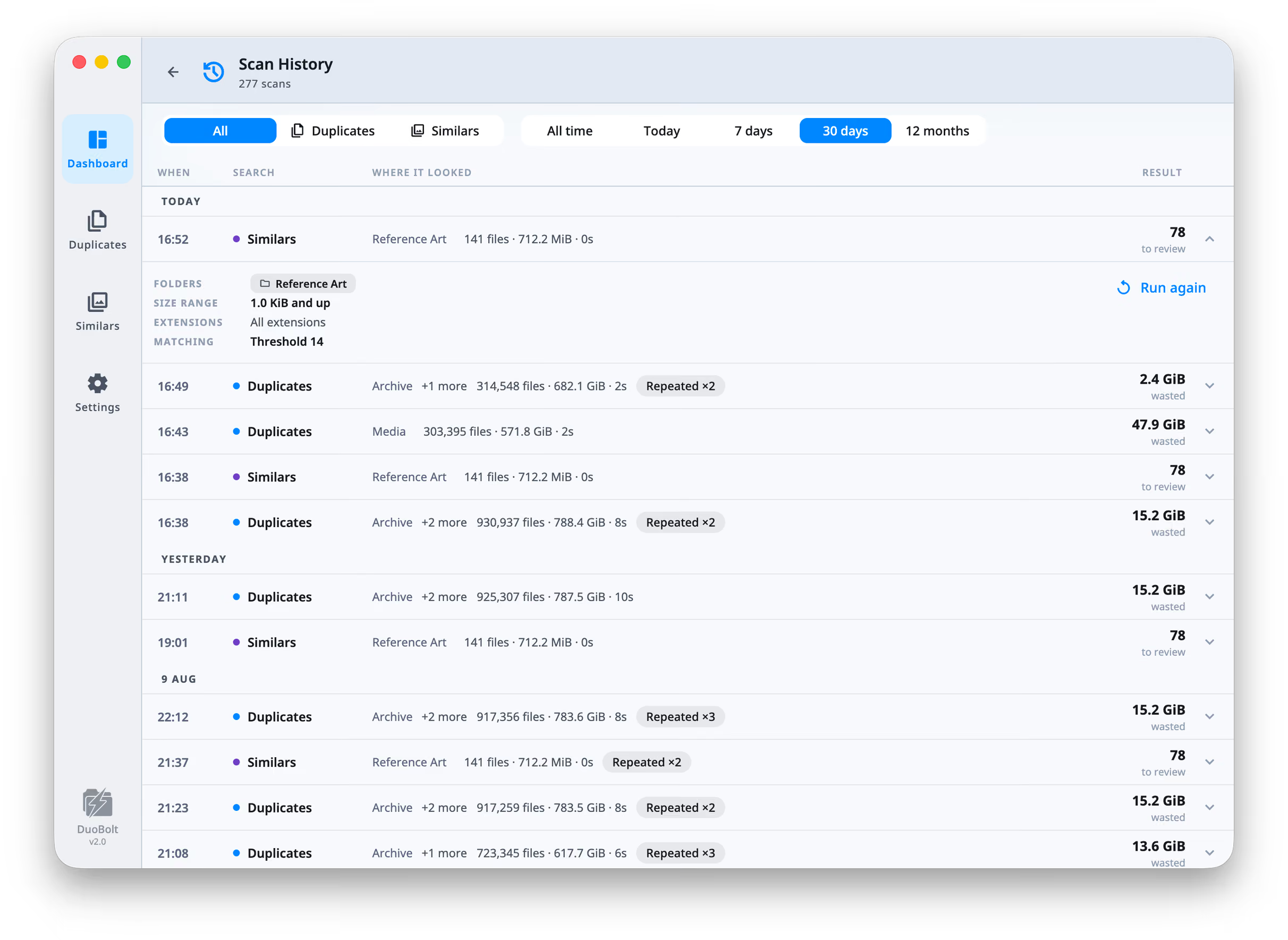
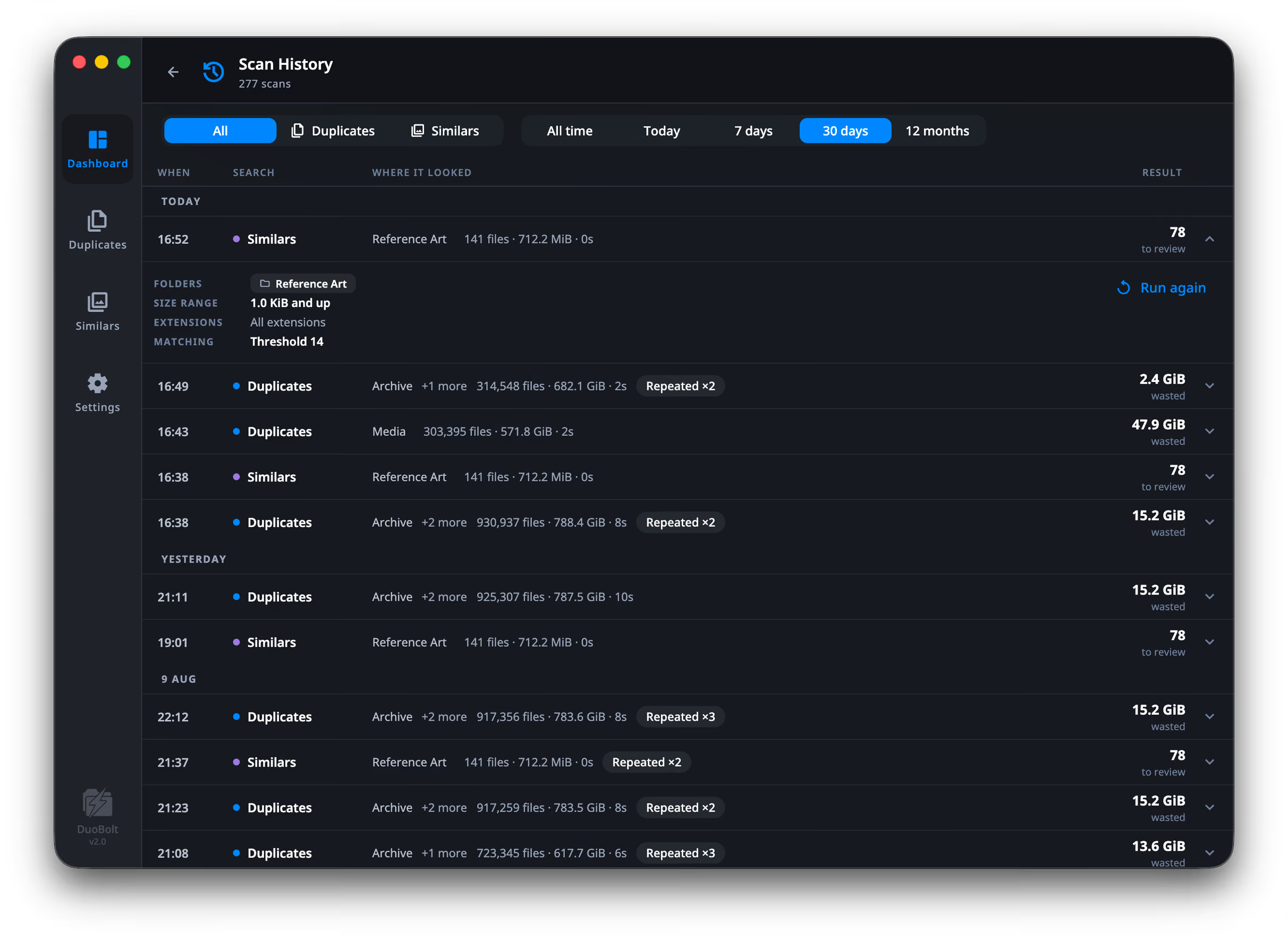
Rows are grouped under Today, Yesterday, and then by date, and can be filtered by kind (All / Duplicates / Similars / Sync) and by age (All time / Today / 7 days / 30 days / 12 months). Those ages count whole days back from this morning rather than a rolling window, so Today never drags in half of yesterday.
Each row records the setup it used — folders, size range, extensions, options, for Similars the threshold and group cap, and for Sync the two folders and the direction — so a scan can be understood months later without guessing. Run again repeats it exactly.
Identical scans collapse into one row marked Repeated ×4 rather than filling
the list. A sync’s comparison is listed with the rest, its result the number of
differences it found.
Everything DuoBolt has moved, deleted, archived, copied or cloned, including what a sync did.
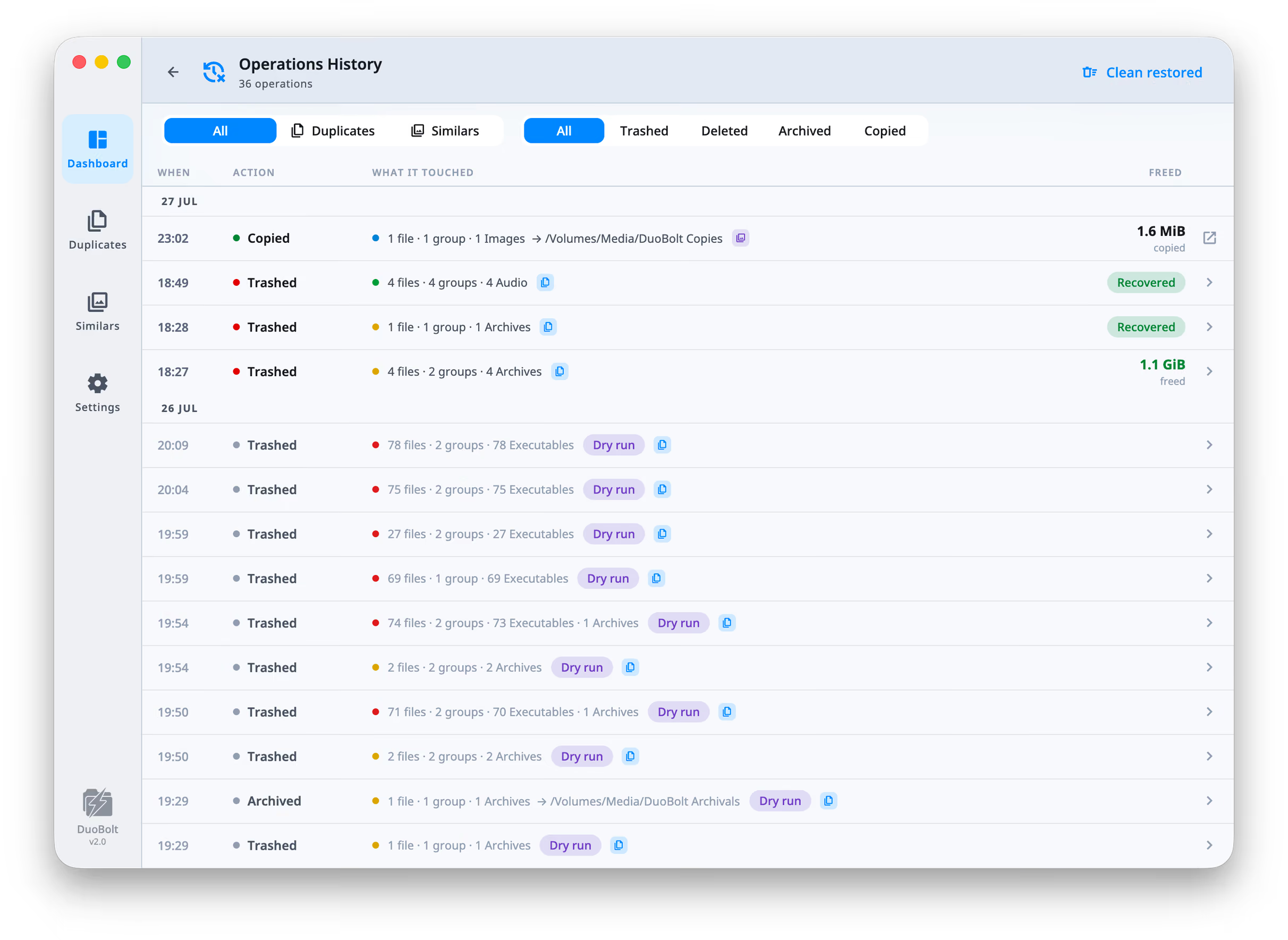
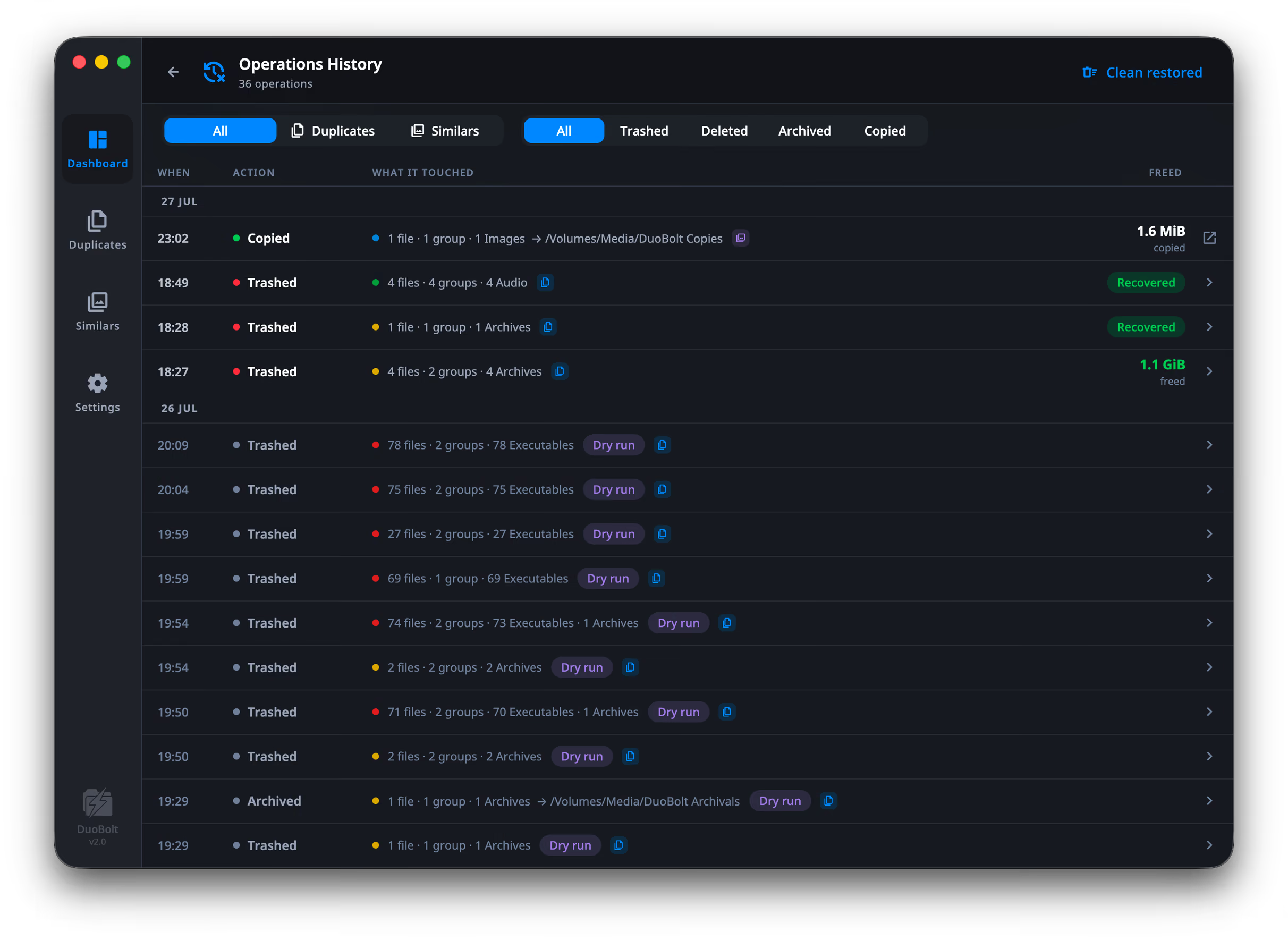
Rows can be filtered by where they came from (All / Duplicates / Similars / Sync) and by action. Each row gives the date, the action — Trashed (Recycled on Windows), Deleted, Archived, Copied or Cloned — what it touched, and a figure that says what it means: freed where the disk got the space back, removed where the files went to a Trash or to Recently Deleted and the space is still taken until that is emptied, copied for a copy. A sync’s copies and removals are listed here too, which is how, on a Mac, a file a sync replaced comes back.
Rows carry a Recovered chip once their files have been put back. Clean restored, in the header, clears those entries in bulk, since they describe nothing that is still true.
The action on the right depends on what was done:
This is the screen that puts files back.
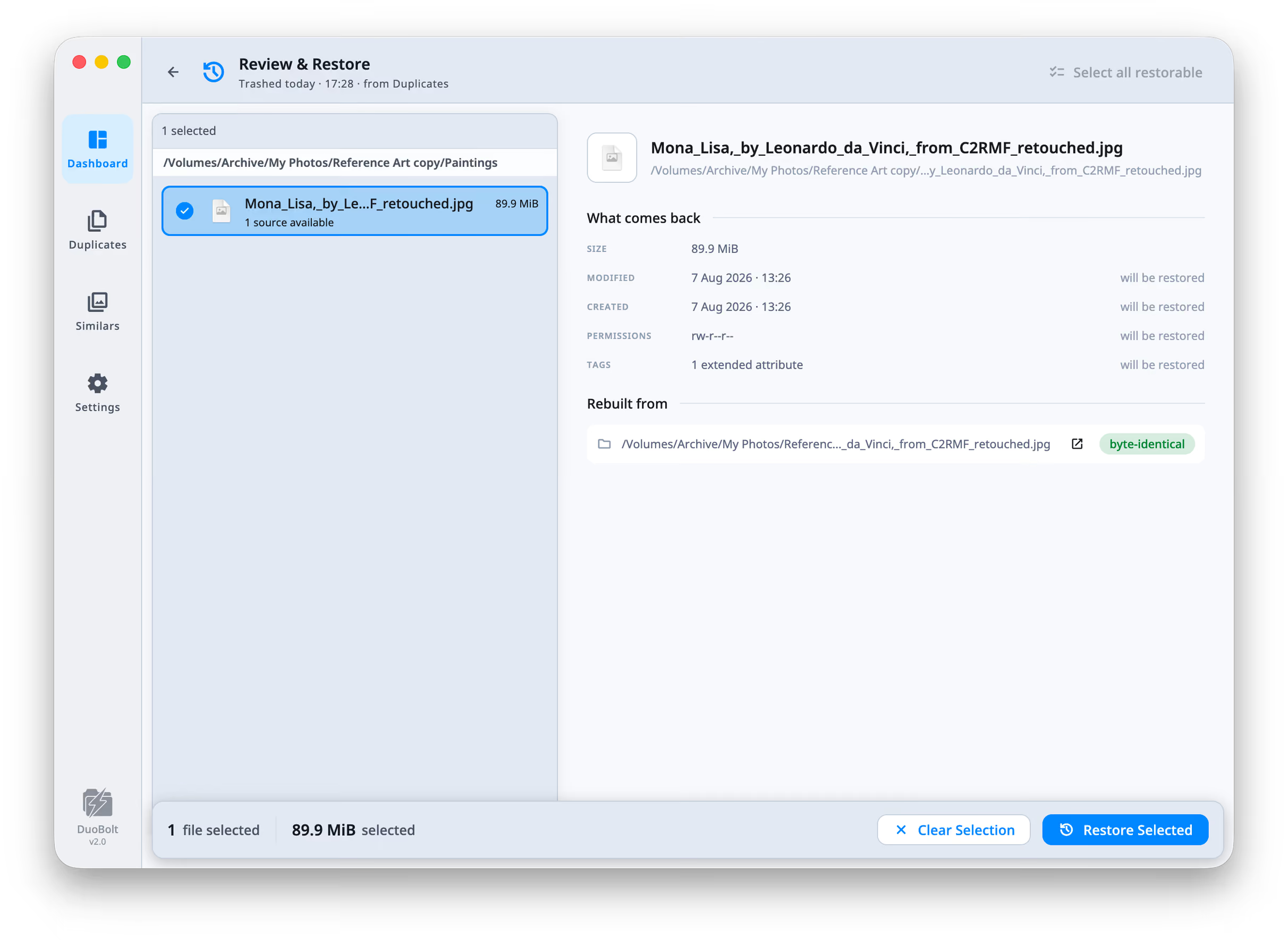
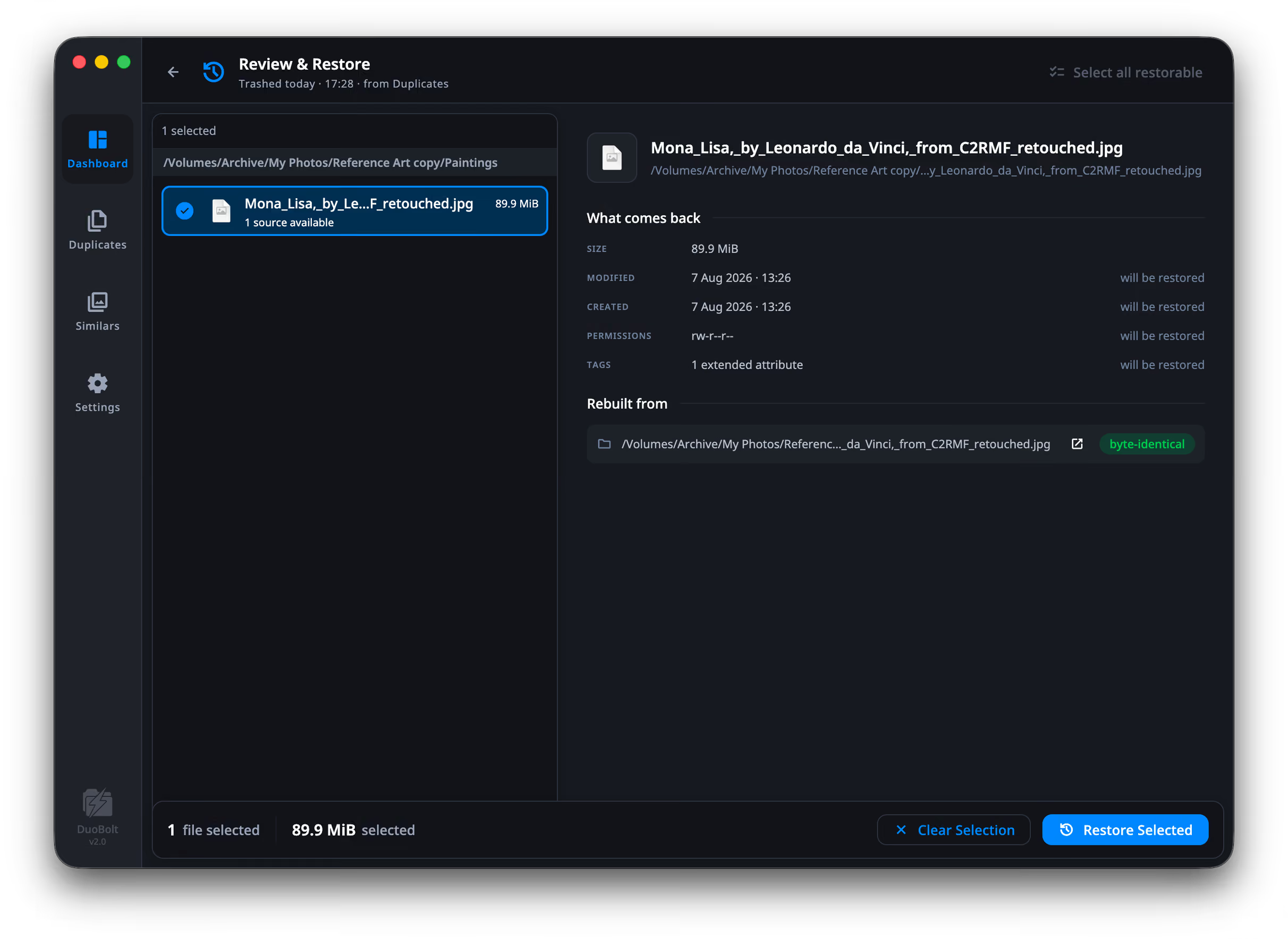
For each file it tells you whether it can be restored, and from where:
The detail pane splits into What comes back and Rebuilt from, listing size, modified and created dates, permissions and tags, each marked will be restored. Where the source is byte-identical, it says so.
Select what you want and press Restore Selected.
Three cases, each with its own explanation on screen rather than a generic failure:
DuoBolt does not rely on the Trash. When you remove duplicates it records, per group, both the files it acted on and the ones it kept — and a restore rebuilds from a kept copy, verifying it by content hash.
That is why “no surviving copy” is a real state: if you deleted every copy of something, there is nothing left to rebuild from, and DuoBolt says so.
Metadata comes back too. Modification and creation dates, permissions, the read-only flag and extended attributes are captured before anything moves and reinstated on the way back.
Before this
The five operations — which of them are reversible, and the one that is not.
Preventing it instead
Protected folders stop files being selectable in the first place.